
Let shoppers build
their own bundle. Pick any, save more.
Set the size and the discount, then let customers choose which products go in. A build-your-own set at one bundled price, right on the product page.
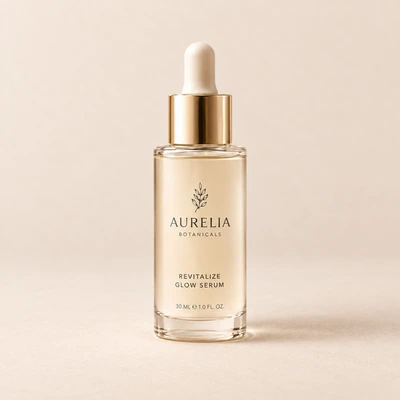
A build-your-own bundle in three steps
Set the rules once. Shoppers do the picking, and the discount handles itself.
Set the size
Decide how many products the bundle holds, like pick any 3 or any 5.
Choose the pool
Pick which products or collection shoppers get to choose from.
Price it once
Give the whole set one discount. Shoppers build it, the deal applies at checkout.
Shoppers pick what they want
Instead of one fixed set, offer an open slot for every spot in the bundle. Customers choose the flavors, shades or scents they actually want, so more of them build the full set instead of buying one.
See it liveFixed sets when you want them too
Not every bundle needs choice. Lock the exact products into a fixed set with per-item pricing, or open the slots for mix and match. Same widget, same checkout, your call per offer.
Compare with fixed bundlesShow your set any way
Your build-your-own bundle in four layouts: stacked, compact, grid or gallery. Same set, same checkout. Click a layout to compare.
See it in the demoEverything a build-your-own set needs
Give shoppers the choice without touching your theme.
Pick from a pool
Choose which products or collection shoppers can select for each slot in the bundle.
Set the bundle size
Pick any 2, any 3 or any 5. Shoppers fill each slot with the product they want.
One price for the set
Give the whole build-your-own bundle a single discount, shown as they pick.
Automatic at checkout
The bundle discount applies through Shopify's native discount engine. No codes involved.
On-brand by default
The widget adopts your store's colors and fonts, with custom CSS when you want more.
Revenue analytics
See added revenue, average order value and orders for every offer in one dashboard.
Frequently asked questions
Browse the help centerWhat is a mix and match bundle?
It is a build-your-own set. You decide the size and the discount, and shoppers choose which products fill each slot from the pool you allow. They get a set built the way they want at one bundled price.
How is mix and match different from a fixed bundle?
A fixed bundle locks in the exact products. Mix and match leaves the slots open so the customer picks. Bundlex runs both from the same widget, so you can choose per offer which one fits.
Can I limit which products shoppers can choose?
Yes. You set the pool, so shoppers only pick from the products or collection you allow for that bundle.
Does the discount apply automatically?
Yes. Once the set is built and in the cart, the discount applies at checkout through Shopify's native discount engine, with no codes involved.
Do I need a developer to set this up?
No. Mix and match bundles are built in the Bundlex dashboard in a few clicks, and the widget installs as an app block with no theme edits.
How much does Bundlex cost?
Bundlex is currently free to install and use, with every feature included. For the latest plans and pricing, see the Bundlex pricing page.
More ways to lift AOV
Every Bundlex offer type runs from the same widget. Mix and match across your catalog.
Product bundles
Fixed sets and cross-sells that turn related products into one easy add.
ExploreVolume discounts
"Buy more, save more" tiers that reward bigger orders, right on the product page.
ExploreBOGO offers
Buy X Get Y deals that apply automatically at checkout. No codes needed.
ExploreFree gift
A gift with purchase that unlocks at a threshold and nudges carts bigger.
ExploreUpsells
One-click add-ons under the offer that lift order value without extra clicks.
ExploreSubscriptions
Subscribe and save on the product page for predictable repeat revenue.
ExploreUrgency
Countdown timer, low-stock alert and sticky add-to-cart that lift conversion.
ExploreLet shoppers build their own
Install Bundlex free and turn one product page into a build-your-own set.