
One-click add-ons. Bigger carts.
Offer a relevant extra right under the main offer. Shoppers tick it to add it, no extra page and no code. The upsell rides along to checkout.
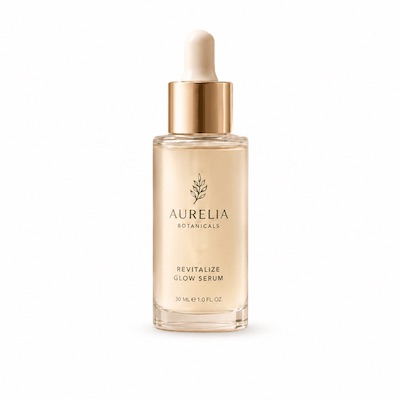
Upsells in three steps
Pick the add-on, price it, and it appears under the offer. Shoppers do the rest.
Pick the add-on
Choose the product you want to offer as an extra under the main offer.
Set its price
Give the upsell its own price or discount so the deal reads clear.
Shoppers tick it
One tap adds the extra. It rides along to checkout with the main product.
The right extra, at the right moment
A shopper who is already adding to cart is the easiest one to sell a companion to. Offer a matching add-on under the main offer and let them opt in with a tick, no extra clicks or pages.
See it liveCheckbox or toggle, your call
Show the add-on as a checkbox row or a switch. Same offer, same checkout, two styles to match your product page. Click to compare.
See it in the demoEverything upsells need
Add the extra revenue without touching your theme.
One-click opt-in
Shoppers add the extra with a single tick, right where they are buying.
Checkbox or toggle
Two layouts for the add-on row, so it fits the look of your product page.
Its own price
Give the upsell a set price or a discount off its normal price.
Automatic at checkout
The added item and its discount carry through Shopify's native discount engine.
On-brand by default
The widget adopts your store's colors and fonts, with custom CSS when you want more.
Revenue analytics
See added revenue, average order value and orders for every offer in one dashboard.
Frequently asked questions
Browse the help centerWhat is a product page upsell?
It is a relevant extra offered right under the main offer. The shopper ticks it to add it to the order before checkout, without visiting another page.
How is an upsell different from a cross-sell bundle?
A cross-sell bundle groups products into one set. An upsell is a single opt-in add-on shown under the offer. Bundlex runs both from the same widget.
Can I show the upsell as a toggle instead of a checkbox?
Yes. Choose a checkbox row or a switch per offer, whichever fits your product page.
Does the add-on apply automatically at checkout?
Yes. Once ticked, the extra and its discount carry to checkout through Shopify's native discount engine, with no codes involved.
Do I need a developer to set this up?
No. Upsells are built in the Bundlex dashboard in a few clicks, and the widget installs as an app block with no theme edits.
How much does Bundlex cost?
Bundlex is currently free to install and use, with every feature included. For the latest plans and pricing, see the Bundlex pricing page.
More ways to lift AOV
Every Bundlex offer type runs from the same widget. Mix and match across your catalog.
Product bundles
Fixed sets and cross-sells that turn related products into one easy add.
ExploreMix & match
Let shoppers build their own set by picking any products at one bundled price.
ExploreVolume discounts
"Buy more, save more" tiers that reward bigger orders, right on the product page.
ExploreBOGO offers
Buy X Get Y deals that apply automatically at checkout. No codes needed.
ExploreFree gift
A gift with purchase that unlocks at a threshold and nudges carts bigger.
ExploreSubscriptions
Subscribe and save on the product page for predictable repeat revenue.
ExploreUrgency
Countdown timer, low-stock alert and sticky add-to-cart that lift conversion.
ExploreAdd the extra with one tap
Install Bundlex free and turn every product page into an upsell.