

Eight offer types, one widget
Bundlex Bundles puts bundles, quantity tiers, BOGO deals, free gifts and upsells on your Shopify product pages. Shopify applies the discount at checkout; you never edit theme code.
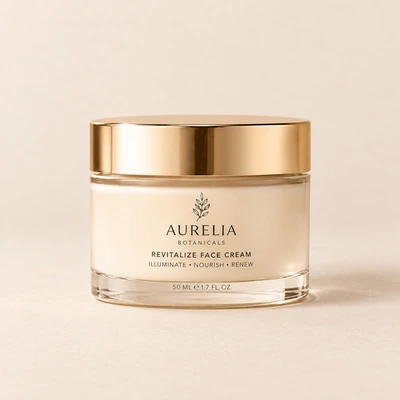
Pick the right offer for each product
Every type has its own page with live examples and the settings behind them. Run one per campaign or mix several on one product.
Product bundles
Group products that belong together and sell them as one offer. Each item in the set can carry its own discount and shows its own price.
Learn more: Product bundlesMix & match
Shoppers fill a set from a pool of products you choose, variant included. The widget asks for every pick before add to cart.
Learn more: Mix & matchVolume discounts
Buy 2 and save 10%, buy 3 and save 20%. Quantity tiers with per-item prices, a badge on the best deal and a pre-selected tier.
Learn more: Volume discountsBOGO offers
Buy 2, get 1 free and every other Buy X get Y deal. The free units are priced at checkout; the shopper types nothing.
Learn more: BOGO offersFree gift
Attach a free product to a tier. Show its price as $0, as a strikethrough or as a word like Free, and the gift leaves the cart if the tier does.
Learn more: Free giftUpsells
A paid add-on under the offer, as a checkbox or a toggle, with its own discount. One tap puts it in the cart next to the main product.
Learn more: UpsellsSubscriptions
A subscribe-and-save choice next to the one-time price, inside the same widget. Repeat orders without a second app on the page.
Learn more: SubscriptionsUrgency
A countdown timer, a low-stock note read from live inventory and a sticky add-to-cart bar that follows the shopper down the page.
Learn more: UrgencyQuantity breaks that sell the bigger pack
Buy 2 and save 10%, buy 3 and save 20%. Per-item prices and a badge on the best deal make the bigger pack the easy pick.
Learn more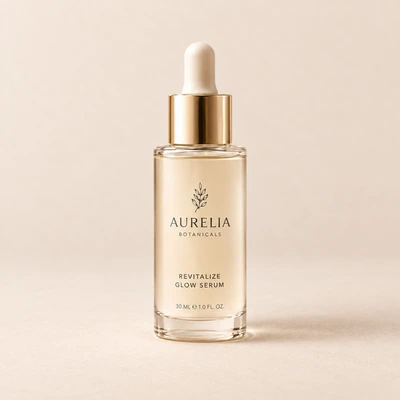
Bundles and mix and match
Sell products as a fixed set, or let shoppers fill one from a pool you choose. Each item shows its own discounted price.
Learn moreAdd-ons on their own
No offer needed. The product page keeps its own price and quantity, and the widget lists matching add-ons with their own discount. Each tick adds one to the cart with the product.
Learn more
$40.00
From install to first offer
Three steps, all inside Shopify admin. The dashboard setup guide walks you through them the first time you open the app.
Install from the App Store
Open the Bundlex Bundles listing, click Install and confirm the permissions. The app opens inside your Shopify admin.
Turn on the widget
On the dashboard, click Turn on next to the widget status. The theme editor opens with the Bundlex Bundles app embed selected; switch it on and save.
Create your first bundle
Click Create bundle, pick a template such as Quantity breaks, choose the products under Show widget on and set each offer's discount. Publish, and the offer is live on those product pages.
Bundlex Bundles gets new features and fixes through the year. See what changed in the changelog
Pairs with Bundlex Cart
Bundlex Cart is a slide-out cart drawer. It shows the offer your shopper picked, adds upsells and a rewards bar, and takes them to checkout.
Try both in the demo
Frequently asked questions
Browse the help centerWhich offer types does Bundlex Bundles include?
Product bundles, mix and match, volume discounts, BOGO, free gifts, upsells, subscriptions and urgency tools (a countdown, a low-stock note and a sticky add to cart). All of them run from one widget on the product page.
How does the discount reach the checkout?
Through Shopify's own discount functions. The widget adds the right items to the cart and Shopify prices them; the shopper never types a code, and the discount shows in the cart and at checkout under the label you set.
Do I need to change my theme?
No. The app embed places the widget above the add-to-cart button on your product pages. If you want it somewhere else, add the Bundlex Bundles block to the product template in the theme editor instead.
Can I choose which products show an offer?
Yes. Each bundle targets all products, selected products, all except the selected ones or chosen collections. You can also hide it from B2B customers and from customers with certain tags.
Will the widget match my store?
Colors come from your theme's color schemes with one click, and every text, badge, layout and image setting is editable in the app. Custom CSS covers the rest.
What does Bundlex Bundles cost?
The current plans and what each one includes are on the pricing page at bundlex.io/pricing/.
Put your first offer live today
Install Bundlex Bundles from the Shopify App Store and set up a bundle or a quantity tier in a few minutes.