
What is Bundlex Cart?
Bundlex Cart replaces your theme's cart drawer with a slide-out cart. Shoppers can review products, change quantities, add suggested products, and continue to checkout without leaving the page first.
What you can add to the drawer
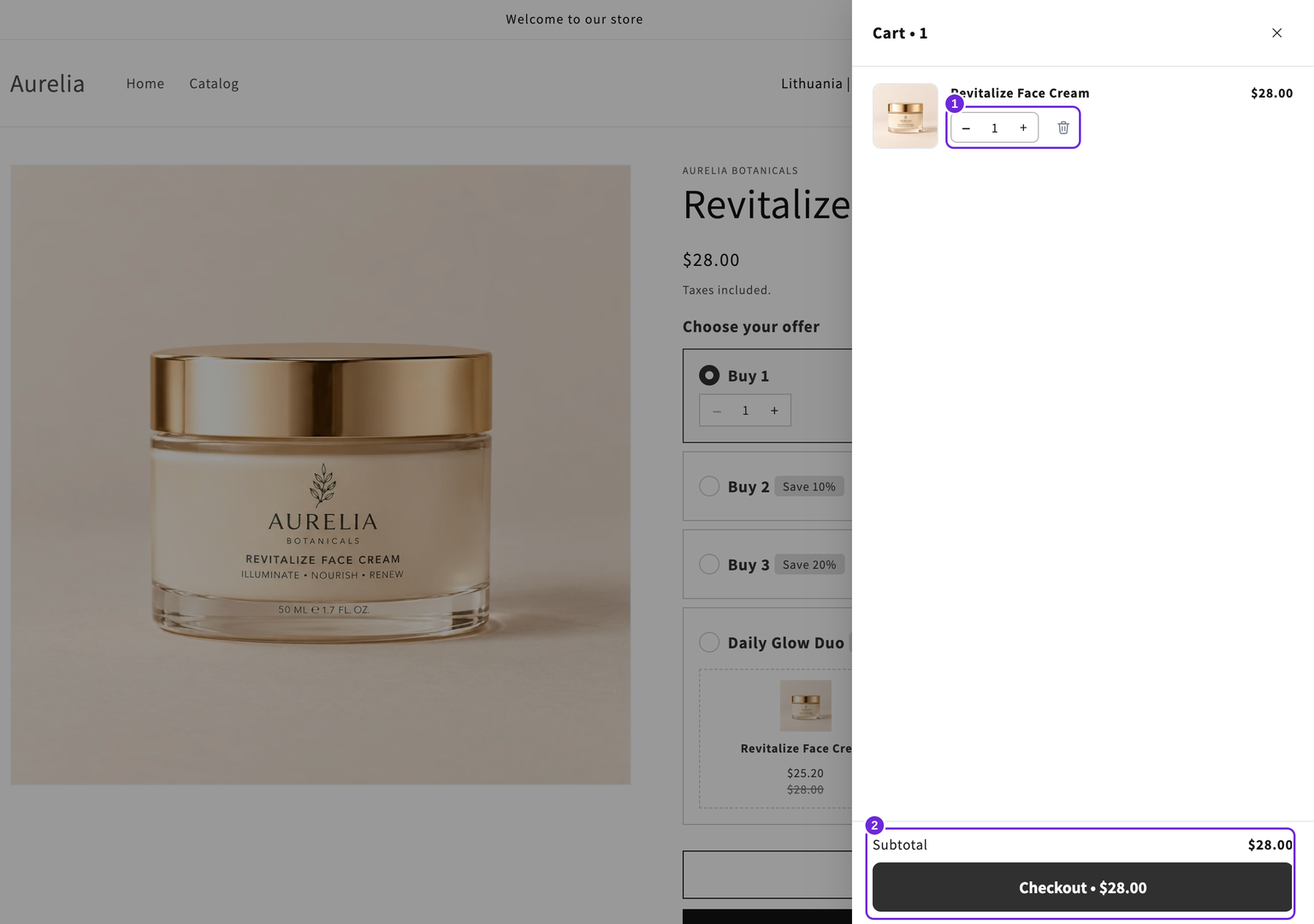
- Product upsells: hand-picked products, collections, Shopify recommendations, or targeted offers based on the cart.
- Rewards: free shipping, order discounts, and free gifts unlocked by cart value or item count.
- A paid add-on: an optional product the shopper adds with a switch near checkout.
- Checkout tools: order notes, a discount code field, a terms checkbox, payment icons, and accelerated checkout.
- Your store's design and copy: colours, drawer layout, announcement and countdown bars, an empty-cart screen, and translations.
How it becomes visible
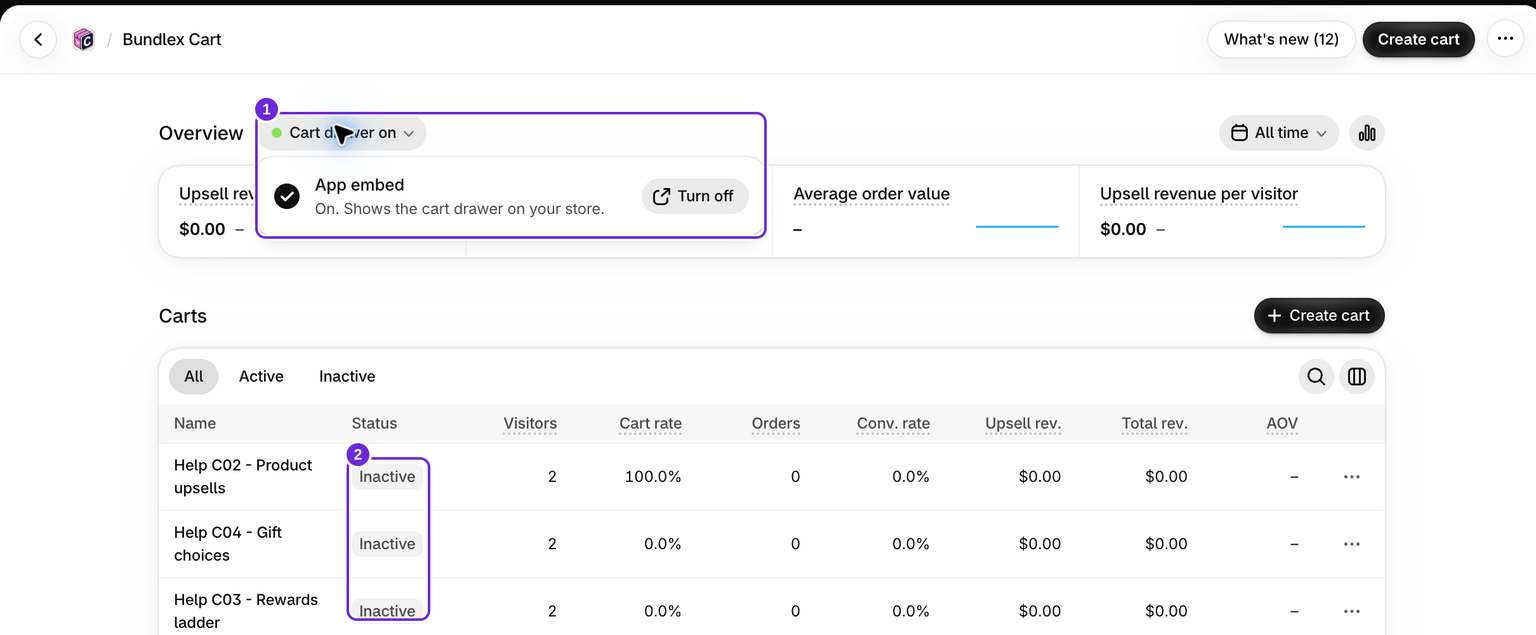
Enable the Bundlex Cart app embed in your theme, then create and activate your cart design. You can save several designs. Usually one is active; you can keep up to three active when each one is for a different group of customers. Saving changes to an active design updates the storefront.
Measure the results
Analytics shows drawer visitors, offer views, and additions. Order and revenue metrics appear when Shopify order access and the first sync are available.
Is this the same as Bundlex Bundles?
No. Bundlex Bundles manages product-page bundle offers and quantity discounts. Bundlex Cart manages the cart drawer. You can use Bundlex Cart on its own or alongside Bundlex Bundles. The separate Bundlex Subscriptions app is not required to use Bundlex Cart.
Start with installing and activating Bundlex Cart.
Was this article helpful?
Your feedback helps us improve our docs.