
Save, activate, and manage cart designs
You can keep multiple cart designs in Bundlex Cart. Usually one design is active on your storefront. You can keep up to three active when each one is for a different group of customers, for example a design for wholesale customers next to the design for everyone else.
Save and Activate do different things
- Save a new cart: creates the design so you can return to it. Click Activate when you want shoppers to see it.
- Save an inactive cart: stores its drawer configuration without replacing the active design.
- Save an active cart: publishes the changes immediately. Wait for the save confirmation before checking the storefront.
- Activate: saves a new design or pending edits, then makes that design live. When another design is already active, it asks what to do: Replace followed by the names of the active designs, or Keep them active too. With three designs already active, it can only replace them. A failed save stops activation.
The Add-on toggle is an exception to treating an inactive design as a sandbox: saving its offer can create or update a real Shopify product even while the cart is inactive. See the add-on guide.
Make an alternate design
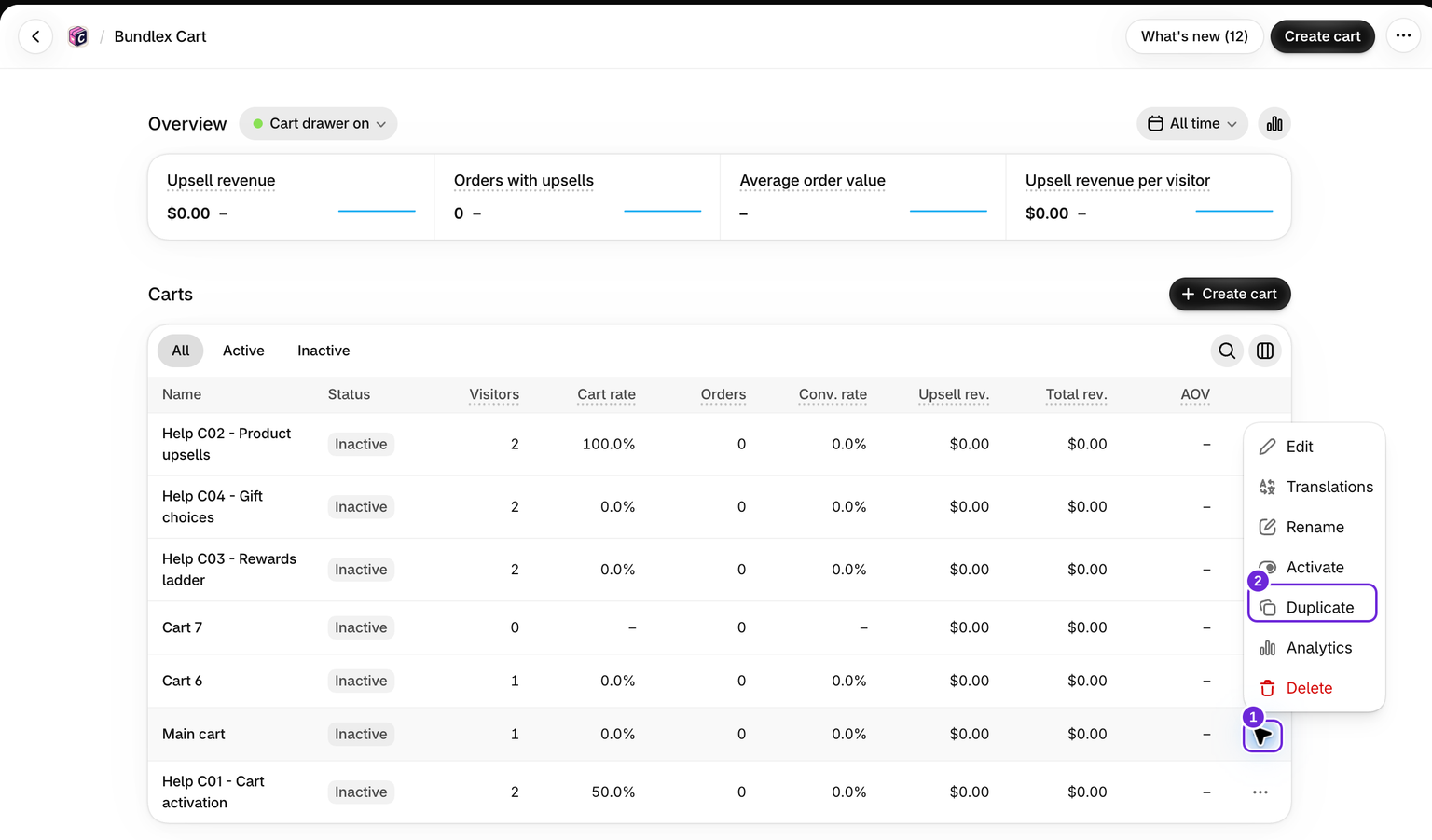
- On the cart list, open the design's actions and choose Duplicate.
- Give the copy a clear Cart name in the Advanced tab, then save it.
- Adjust the copy and use the preview to review it.
- Activate it when you are ready, and choose Replace to swap it in for your current design.
The cart name is internal. To change the title shoppers see, use Cart > Header > Drawer title.
Run two designs for different customers
Use this when one group of customers should see a different cart, with its own rewards, upsells and wording. Customers are told apart by their customer tags.
- Open the special design, go to the Advanced tab and set Who sees this cart to Only customers with these tags. Enter the tag, for example
wholesale, and save. - Click Activate and choose Keep them active too. Your other design stays live.
- Check the order on the cart list. Each shopper gets the first active design whose rule fits them, so the design for a specific group goes above the design for everyone. A new design you keep active is placed there for you.
A design that can never be shown, because a design for everyone sits above it, is marked Not reached on the cart list. Change the order by dragging the rows or with Move up and Move down in the row menu. You can keep up to three designs active. Rewards follow the design: at checkout, a customer gets the rewards of the design they see.
Pause or remove a design
Deactivate pauses a design. With one active design, your storefront falls back to its usual cart. With several, the shoppers that design served get the next active design below it that fits them, or your store's usual cart. Delete permanently removes a saved design. It is in the row menu on the cart list and under More actions in the editor. An active design is switched off first, and the confirmation tells you it is live. Use Deactivate when you only want to pause it. These actions manage the drawer; they do not delete products from your store.
Was this article helpful?
Your feedback helps us improve our docs.