
Add trust badges to your cart
Trust badges are short labels with icons inside the drawer from Bundlex Cart. They can remind shoppers about your store's checkout, shipping, or returns policies.
Add badges
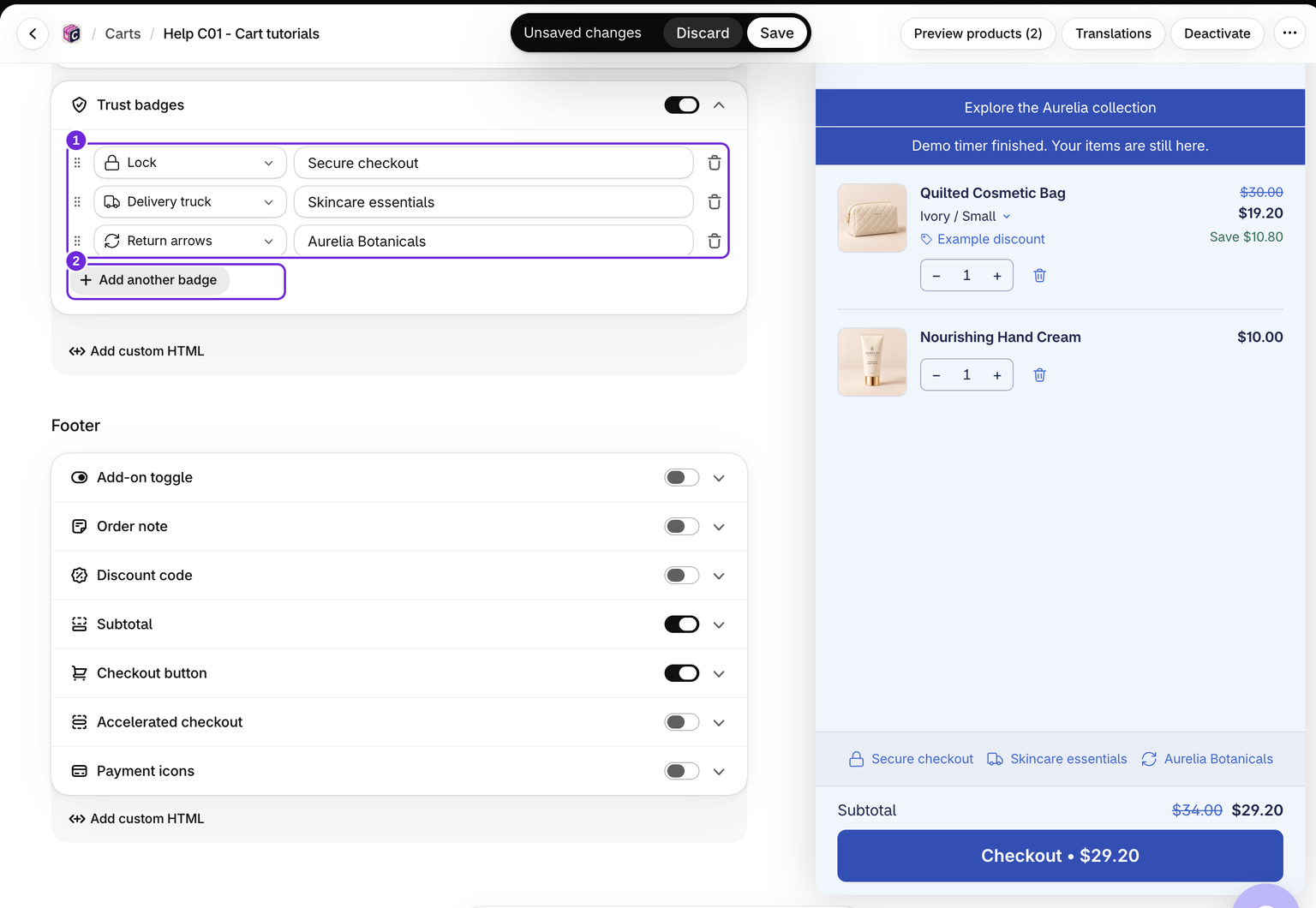
- Edit the cart, open the Cart tab, and enable Trust badges.
- Edit the three starting badges, or click Add another badge for more (Add badge when the list is empty).
- Choose an icon and edit the label.
- Drag the badge rows into the order you want, then save.
The block starts with Secure checkout, Fast shipping, and Easy returns. They are editable starting points. Replace or remove any wording that does not describe your store.
Check your labels on the storefront
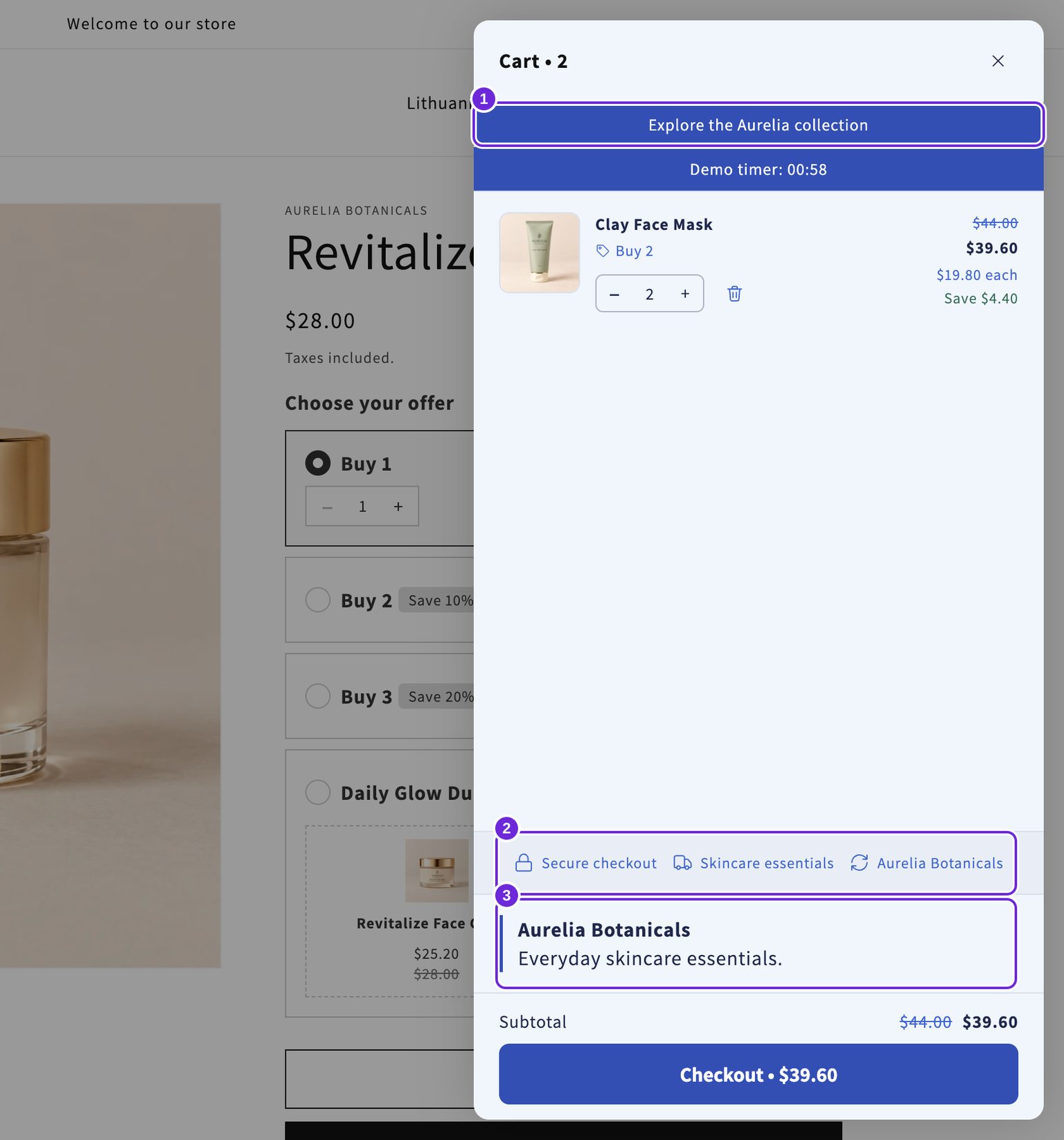
Keep labels short enough to read on a phone. This demonstration uses Secure checkout, Skincare essentials and Aurelia Botanicals. The row wraps when the drawer is narrow.
What badges do
A badge displays your message. It does not enable payment security, create a shipping discount, or set up a returns policy. For an actual free-shipping incentive, use a shipping reward.
The block follows the drawer's overall styling. There is no separate badge-size control. You can move the Trust badges block within the content area using its drag handle.
Hide or translate badges
Turn the block off to hide the row. Removing every badge also leaves nothing to display. Badge labels are available on the cart's Translations page after the cart has been saved.
Was this article helpful?
Your feedback helps us improve our docs.