
Upsell products are missing from the cart
An enabled upsell block in Bundlex Cart can still be empty when no eligible products are available. Work through the checks for the block you are using.
Check the saved design and product source
- Confirm you edited the active cart and saved your changes.
- For hand-picked products, confirm products are selected. For collection mode, confirm collections are selected and contain products available to the storefront.
- Check stock and whether the product is available to the shopper's market. Products with no purchasable variants are hidden.
- Main and side upsells exclude products already in the cart. The managed add-on product is also excluded from product suggestions.
Recommendations return nothing
Add a regular product to the cart first. Recommendations depend on a cart product. Complementary recommendations need pairings in Shopify Search & Discovery; when none are returned, Bundlex Cart tries related recommendations instead. A Maximum products value is a ceiling, not a promise that Shopify will return that many products.
Targeted offers show nothing
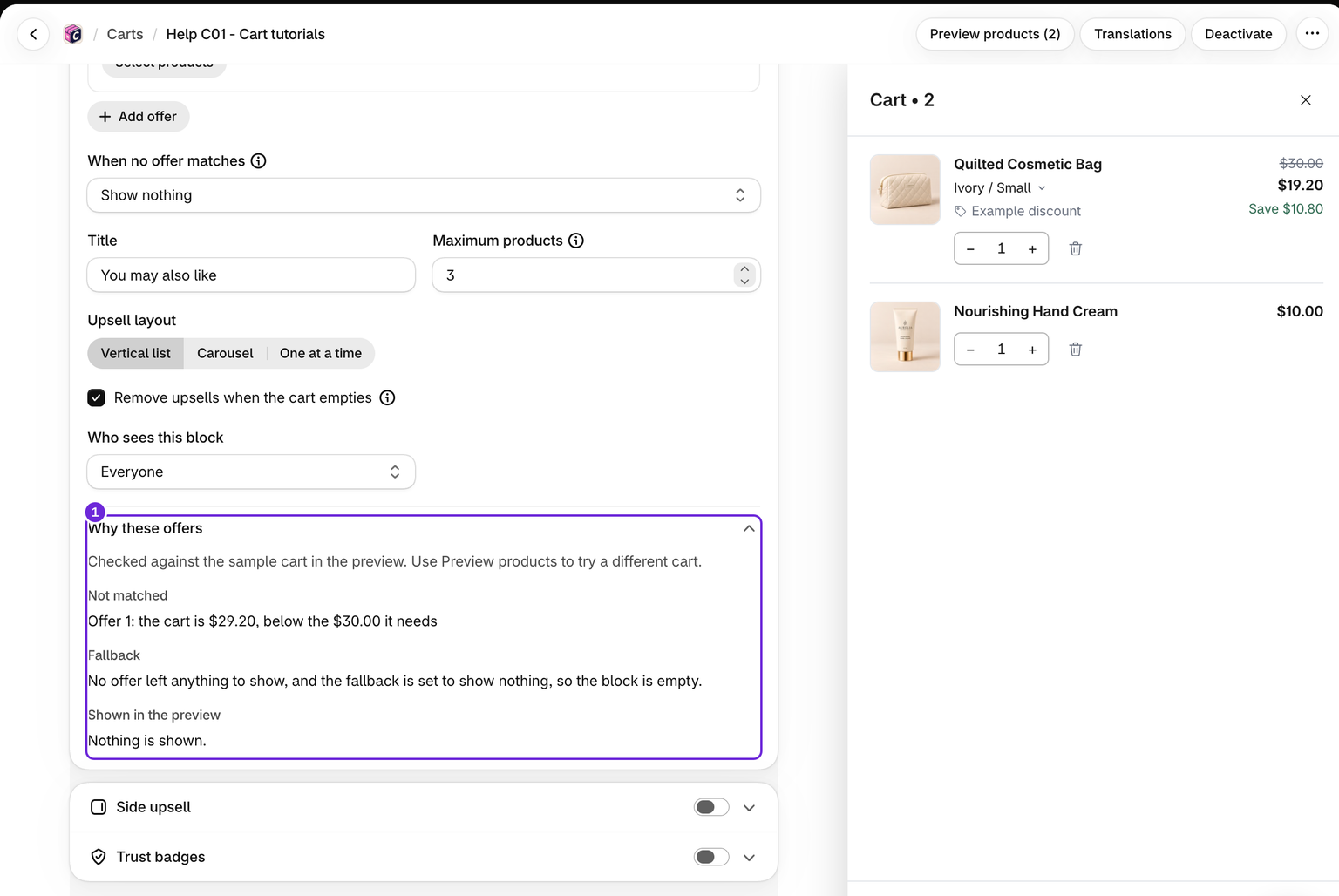
Confirm the offer is complete, Active, and saved. Check Why these offers in the Upsells block, below the offer settings, for conditions that do not match, unknown collection membership, or excluded products. Products already in the cart and unavailable products cannot appear.
The When no offer matches fallback runs only when no products remain to show. A complementary fallback does not switch to related products if it returns nothing. Targeted offers are available in the main Upsells block only. See the setup guide.
Check which shoppers and screens can see the block
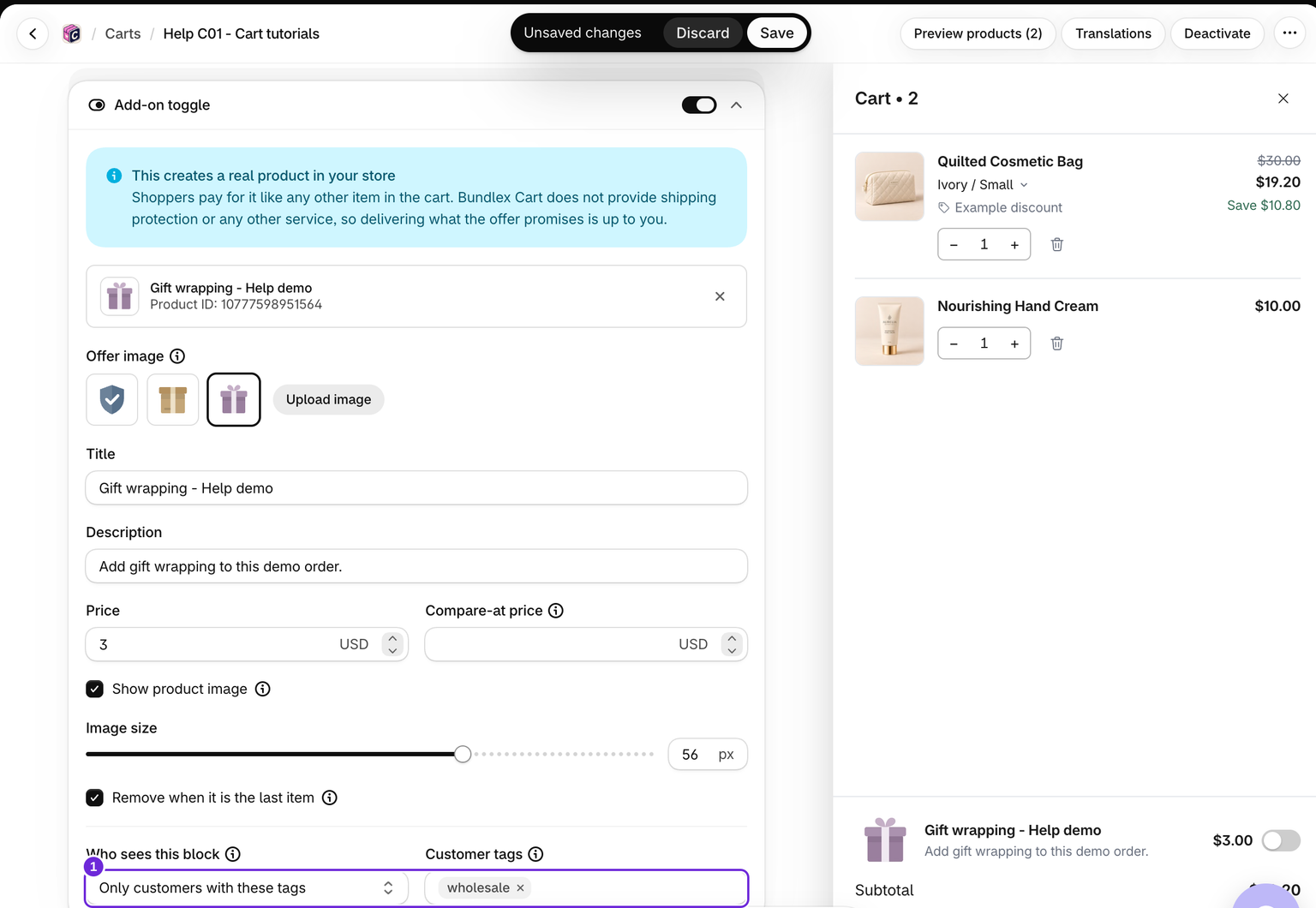
Who sees this block set to Only customers with these tags hides a block from guests and customers without matching tags. Empty-cart suggestions share the main Upsells block's tag rule.
Side upsell needs a screen at least 900 pixels wide and 600 pixels high, a non-empty cart, and no open on-screen keyboard. Use the regular Upsells block for smaller screens.
If the preview works but the storefront does not
The preview can show sample products and ignores customer-tag visibility. Save the design, activate it if needed, and reload the storefront. If available products still do not load, send support the cart design name, product source, and storefront URL. Do not create or paste API tokens to fix it yourself.
Include the shopper's country, whether they are signed in, and the screen size. If the entire drawer is absent, start with drawer troubleshooting before changing the product source.
Was this article helpful?
Your feedback helps us improve our docs.