
A reward or free gift is not applying
The rewards preview in Bundlex Cart shows your design. A real reward also needs a published discount and a qualifying storefront cart.
Check publishing and qualification
- Open the active cart and confirm Rewards bar is enabled and the tier is configured.
- Save and wait for success. If Shopify rejects publishing, resolve the error before assuming the new reward is live.
- Check Progress is measured by and the tier threshold. Cart-wide discounts and excluded gift lines can make progress differ from the subtotal or the drawer's item count. With Number of items, free gifts and free extras from Bundlex Bundles count only when Count items from bundle offers and gifts is on.
- Reload the storefront, add qualifying products, and check checkout too.
If publishing reports the automatic-discount limit, review unused automatic discounts in Shopify before retrying. If the error is unclear, send its exact text to support.
Check the customer group
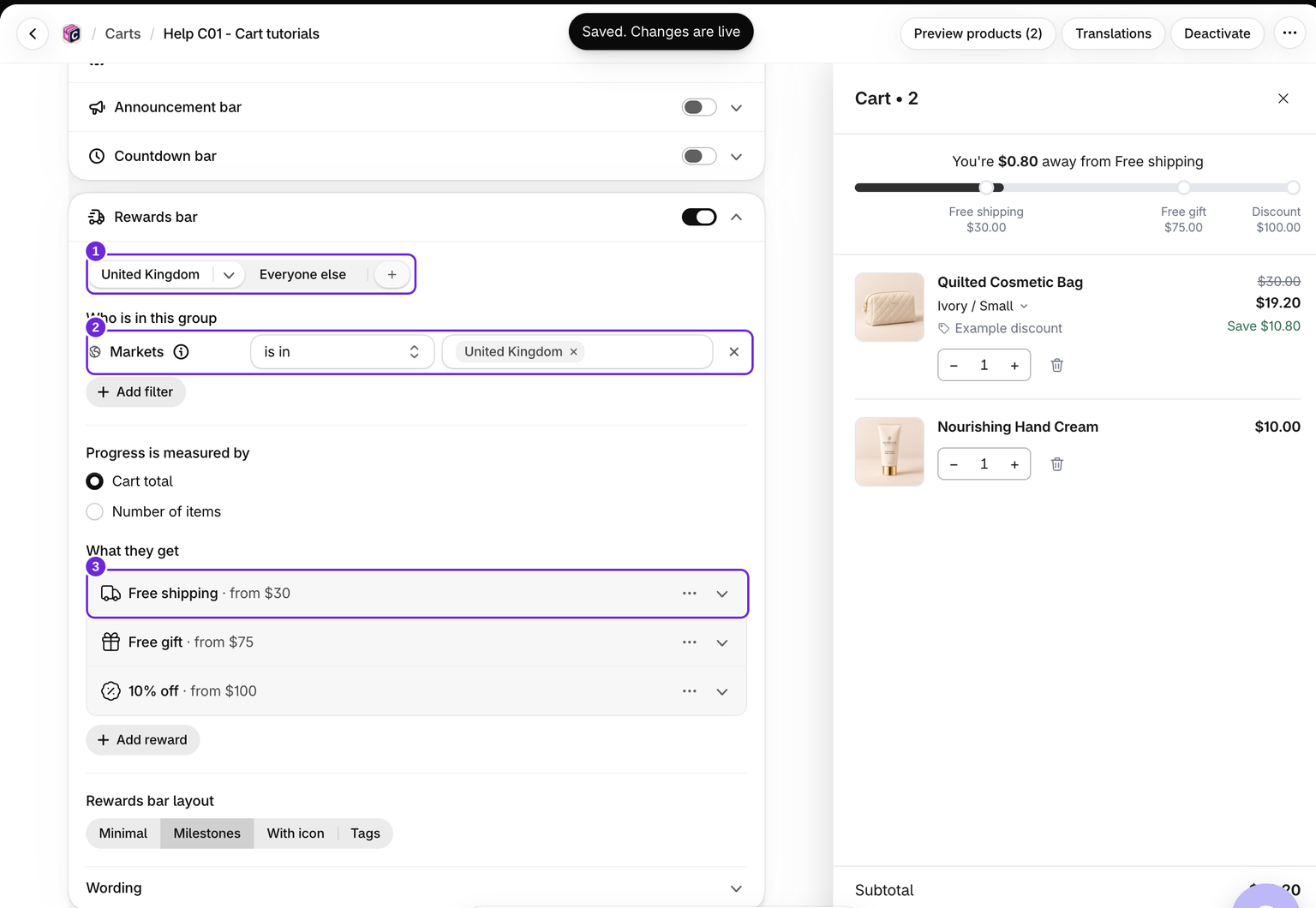
Open the group that applies to the shopper and confirm it contains rewards. The first matching group wins, with Everyone else as the fallback. A group with no rewards does not show a bar. The editor previews the selected group, not a verified shopper.
The storefront uses the browsing country and storefront login. Checkout uses the delivery address and the customer Shopify recognises there, so it can select a different group. A gift from the previous group can then carry a price. Recheck the final gift price before proceeding. If Shopify market countries changed, review the editor's Update countries notice and save. See customer groups.
Free shipping is still charged
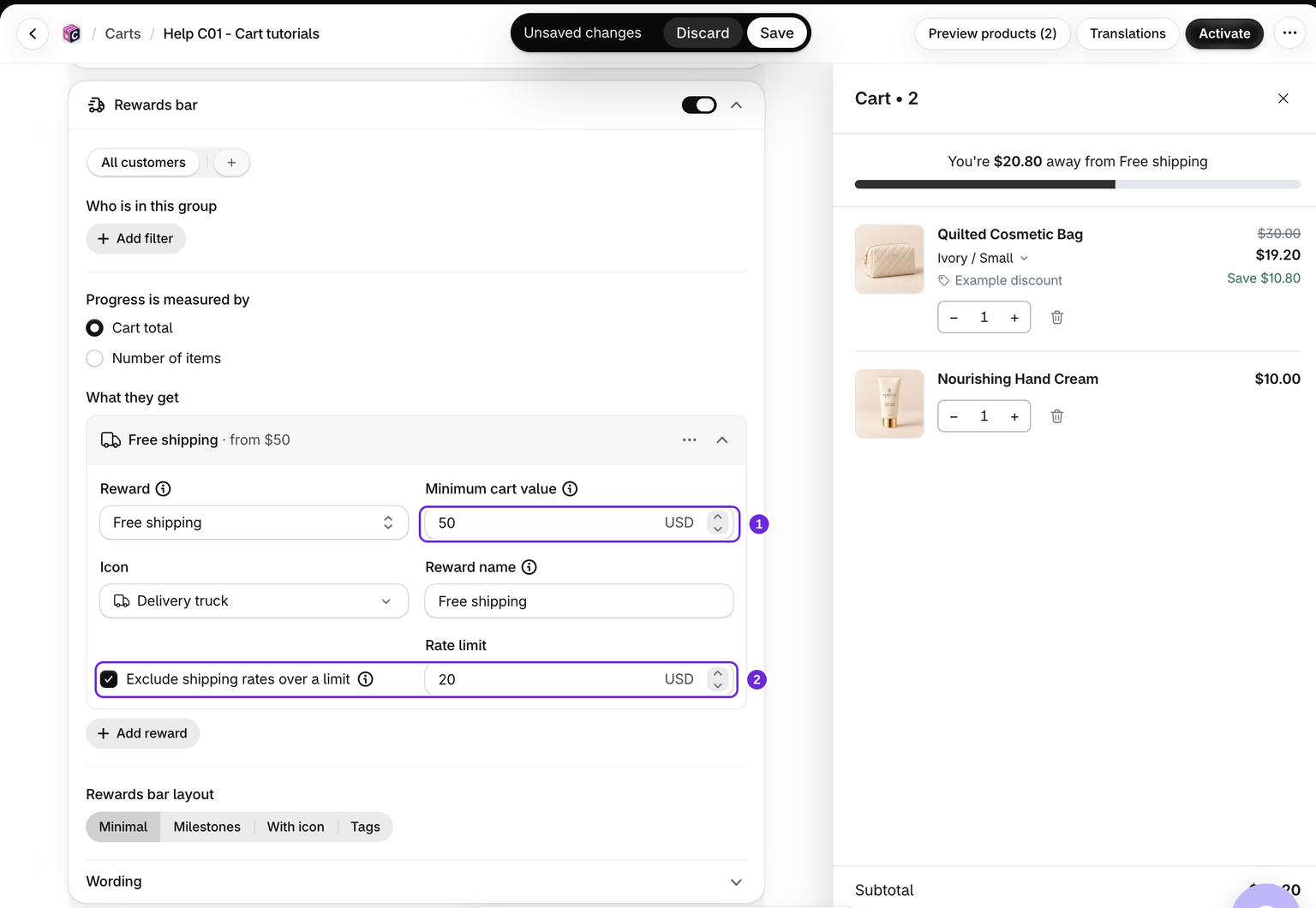
Check whether Exclude shipping rates over a limit is enabled. Rates above that limit stay full price. Test with a delivery address for which your store offers shipping, and check other shipping discounts that may compete with the reward.
For example, a $50 threshold can be reached while a $20 rate limit still excludes a $21.23 shipping option. The unlocked bar confirms the spend threshold; the rate must also qualify.
A gift is missing or carries a price
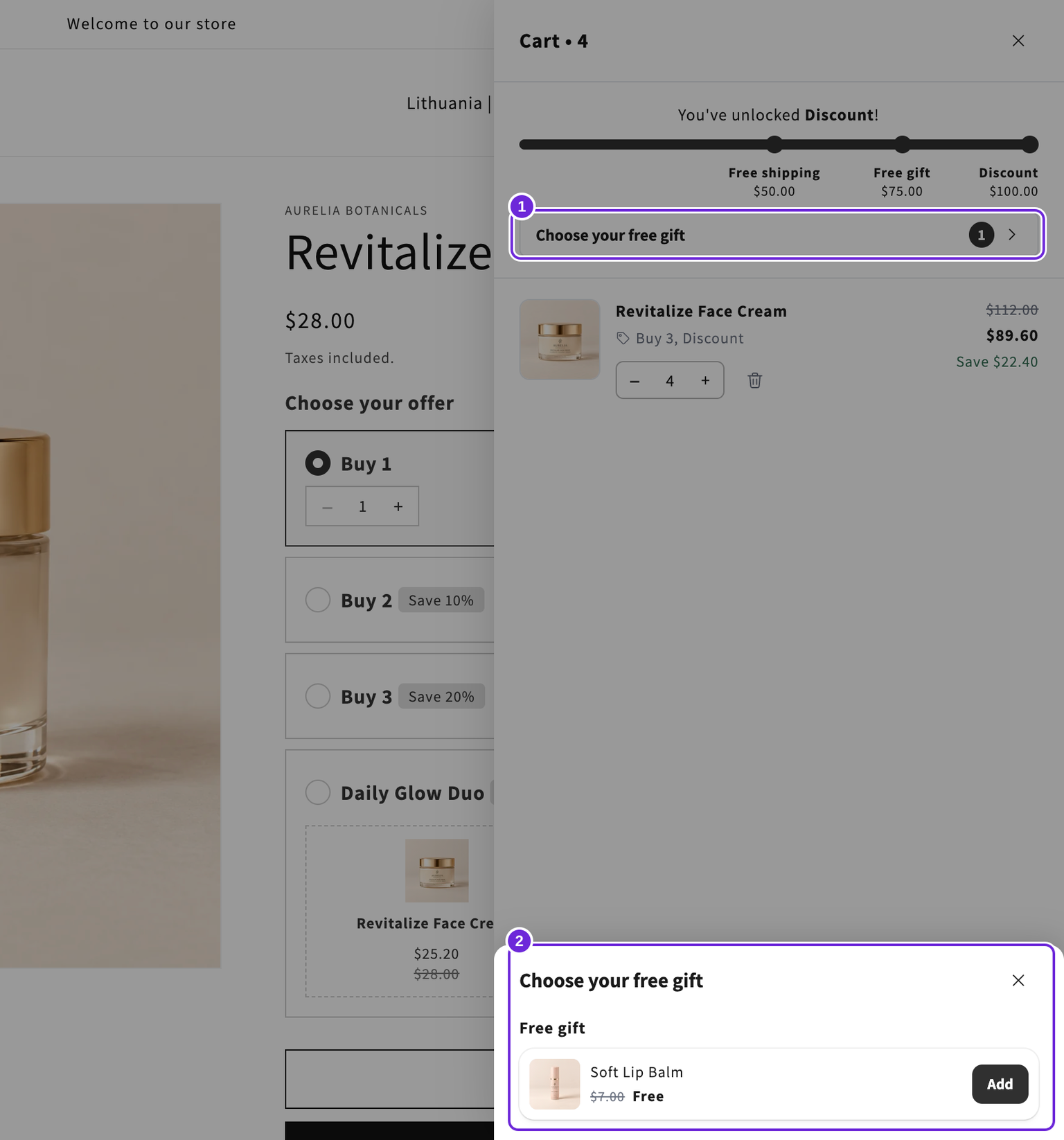
- Confirm the tier has gift variants selected and those variants are available for purchase.
- Check How gifts are added: Added automatically adds the gifts when the tier unlocks; with Shopper chooses, nothing is added until the shopper picks a gift from the row under the bar.
- Check each selected product's Qty and the tier's total free-unit limit. The picker can add several configured units together, and it disappears when the allowance is used.
- Dropping below the threshold removes the gift. A gift cannot count toward unlocking itself.
- Very large carts with more than 50 separate lines are outside the reward discount's supported line budget. Gift additions stop and Cart removes its gift lines.
A gift that shows a price should not be treated as free. Reload and recheck qualification; if it still happens, send support the products, quantities, gift, and storefront URL.
Discount codes and cart rewards
Bundlex Cart gives your rewards and upsell discounts through one automatic discount in Shopify, called Bundlex Cart. Shopify applies a discount code next to it only when the code is allowed to combine with every type of discount it gives.
Open Discounts in Shopify admin, open the code, and tick these boxes under Combinations:
- Free shipping reward: Product discounts and Shipping discounts.
- Free gift reward, or a discount on upsell products: Product discounts.
- Discount reward: Order discounts.
If your cart has more than one of these, tick every box they list. Save the code and test it in a cart that has unlocked the reward.
Order discounts also lets codes combine with each other. Shopify's combination settings work by discount type, not by single discount, so you cannot allow one without the other.
The discount types follow the rewards in your active cart and update when you save it. After you change rewards, save the cart once, then test the code again.
Other discounts are involved
Shopify determines valid combinations. Check its combination rules and compare with a cart that has no extra code. An announcement or badge saying “free” does not create a reward.
Was this article helpful?
Your feedback helps us improve our docs.