
Add custom HTML or CSS to the cart drawer
In Bundlex Cart, use the built-in settings first for colours, images, and text. Custom HTML and CSS are available for changes that need your own markup or styling.
Add a Custom HTML block
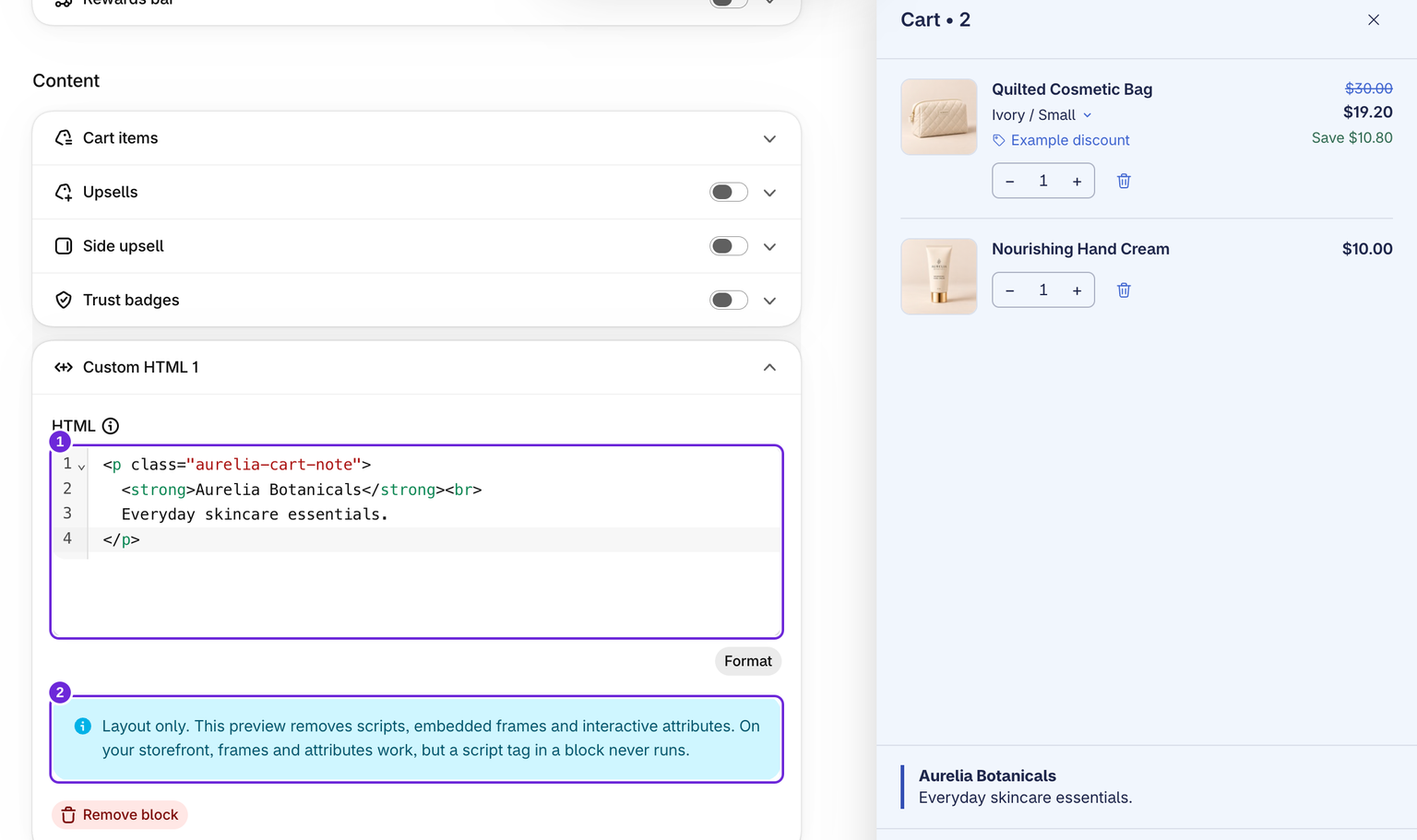
- Edit your cart and open Cart.
- Use Add custom HTML in the content or footer area.
- Enter the markup in HTML, then position the block with its drag handle within that area. The field is a code editor with line numbers and coloured tags; Format tidies the indentation.
- Review the layout, save, and check the storefront.
You can add up to 10 Custom HTML blocks per area. The editor accepts up to 10,000 characters per block; the complete cart configuration also has a size limit.
Add custom CSS
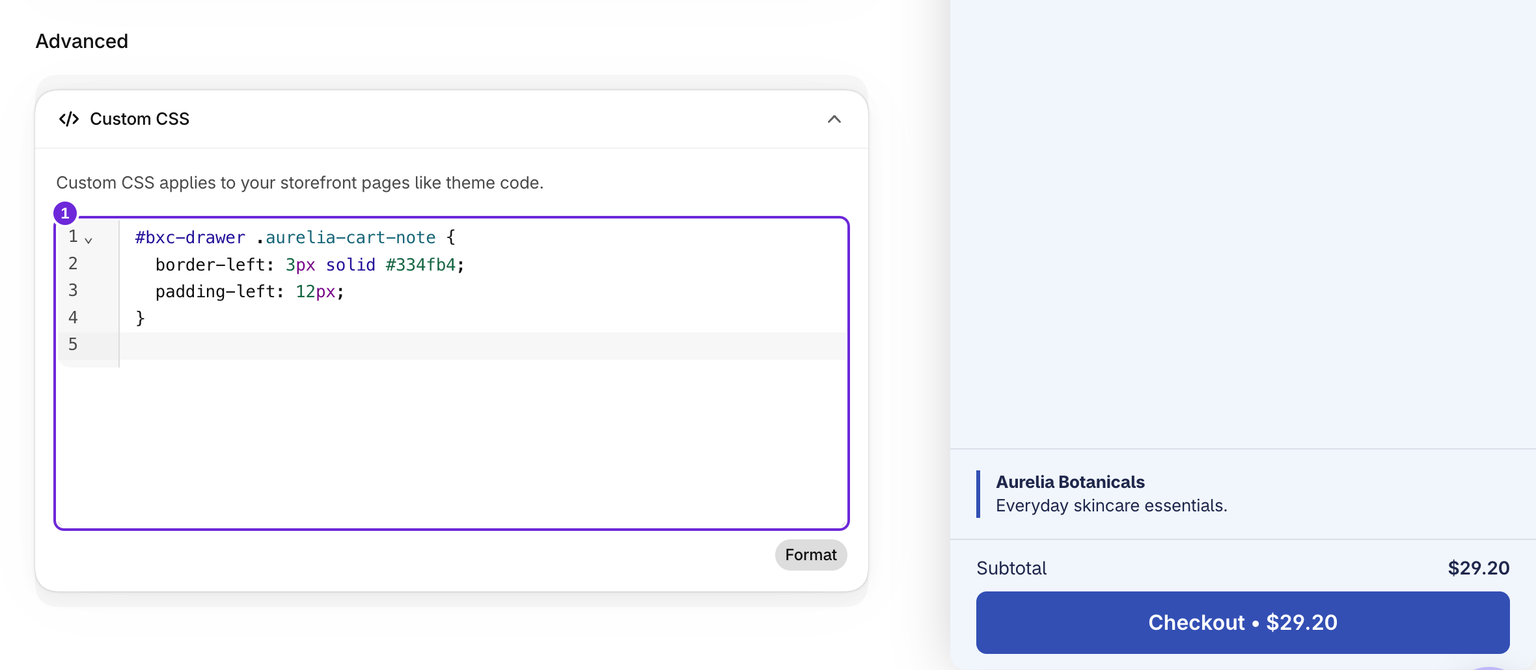
Open Style, scroll to Advanced at the bottom and open Custom CSS. Scope rules to the drawer, for example with #bxc-drawer, so they do not unintentionally restyle the rest of your theme. Keep a copy of existing CSS before replacing it. The field accepts up to 10,000 characters.
Saving is refused, with a message on the field, when the CSS contains a < character or an @import, or loads a file from another website. Use files from your store or from cdn.shopify.com. CSS saved before this check keeps working, but the cart cannot be saved again until you fix it.
The field is a code editor: it colours your CSS, suggests property names as you type and marks a rule it cannot read in red, so a missing brace shows before you save. Format tidies the indentation.
Try a simple note
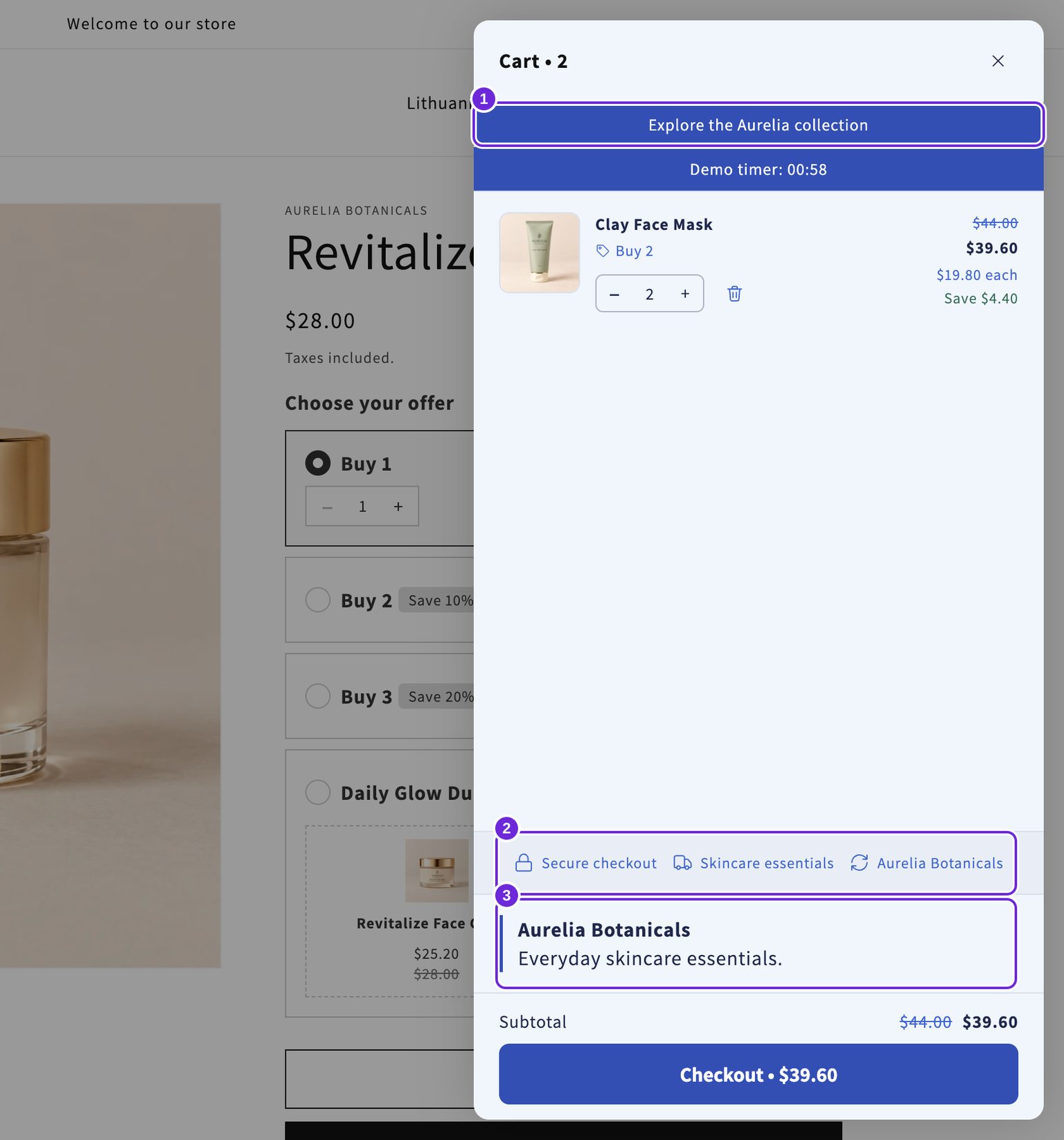
This example adds a brand note. Use the HTML block for its content:
<p class="aurelia-cart-note">
  <strong>Aurelia Botanicals</strong><br>
  Everyday skincare essentials.
</p>
Then add a scoped rule in Custom CSS to give that note a left border:
#bxc-drawer .aurelia-cart-note {
  border-left: 3px solid #334fb4;
  padding-left: 12px;
}
Save and check the note, product controls and checkout button on desktop and phone.
Preview and storefront behaviour differ
The preview shows custom HTML layout but removes scripts and interactive attributes. On the storefront, custom markup is treated like theme code. Ordinary inserted <script> tags are not automatically executed, so this field is not a general script installer.
Only paste code you understand or have reviewed with your developer. Check the published result on desktop and mobile, including adding an item and opening checkout. If the drawer breaks after a change, remove that custom code, save again, and retest.
Was this article helpful?
Your feedback helps us improve our docs.