
Show or hide cart offers by customer tag
Some blocks in Bundlex Cart have a Who sees this block setting. It lets you show a block only to customers with certain tags, or hide it from them, for example from wholesale accounts.
Choose who sees a block
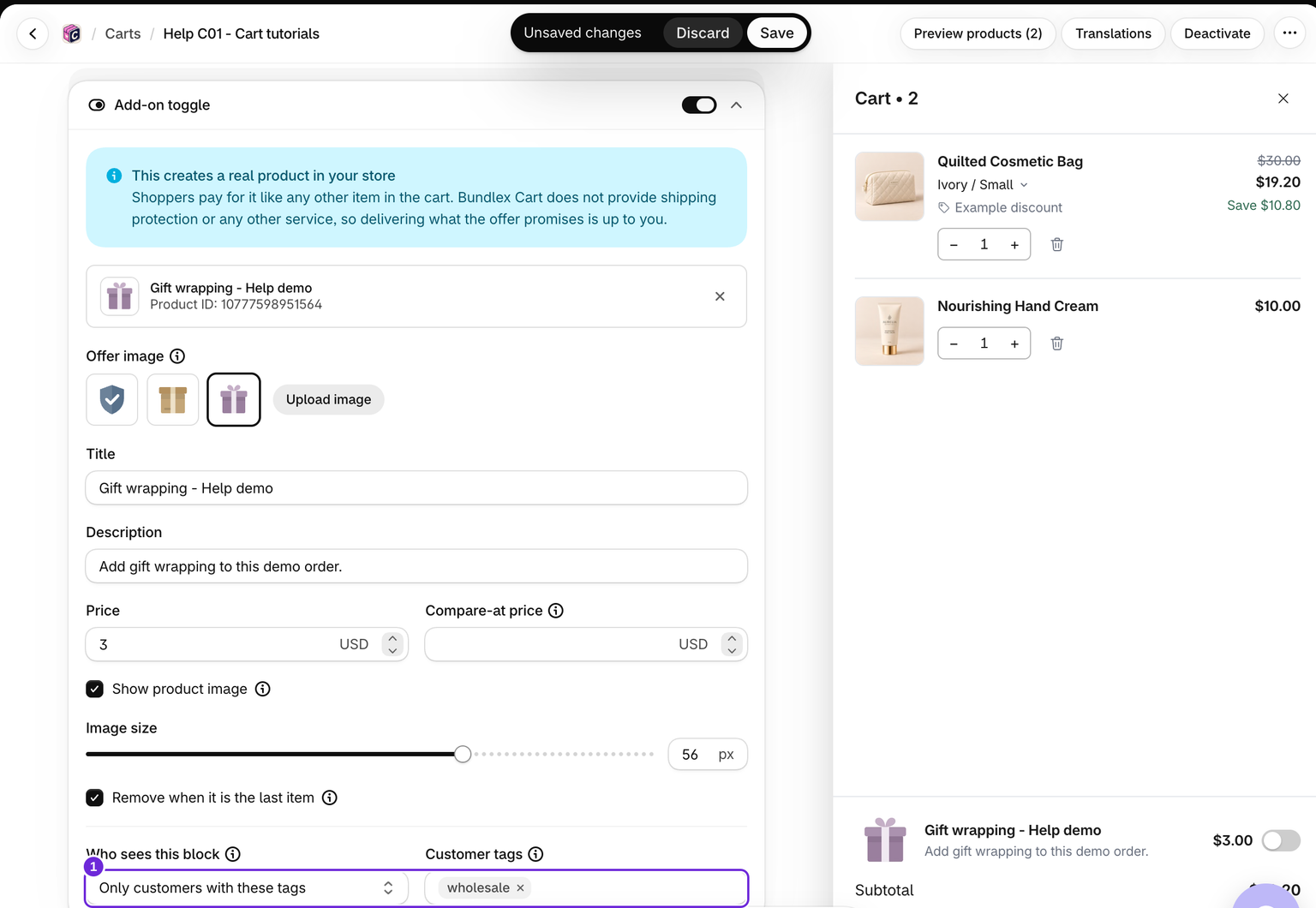
- Add the relevant tag to customer accounts in Shopify.
- In the cart editor, open Cart > Upsells, Side upsell, or Add-on toggle.
- Under Who sees this block, pick one option:
- Everyone: no tag rule.
- Only customers with these tags: only logged-in customers with at least one of the tags see it. Guests never see it once tags are set.
- Everyone except customers with these tags: customers with any of the tags don't see it. Everyone else sees it, guests included.
- Enter the Customer tags. Type each tag exactly as in Shopify and press Enter. Upper and lower case don't matter.
- Save, then test on the storefront while logged in as a tagged customer, and once as a guest.
The editor preview ignores these rules so you can still design the block.
You can enter up to 100 tags. Choosing a tagged option without entering any tags shows the block to everyone. The cart's own Who sees this cart rule applies first: a shopper excluded from the whole drawer cannot see its blocks.
Empty-cart suggestions share a rule
The empty cart has its own suggested products, but their visibility follows the main Upsells block's rule. If empty-cart suggestions disappear for some shoppers, check that rule too.
On the Rewards bar, tags also decide who gets the rewards
The Rewards bar has no Who sees this block setting. Under Who is in this group, click Add filter and pick Customer tags, then has any of (only customers with the tags) or has none of (everyone except them). Your rewards move into a customer group for those shoppers, and Everyone else is left with no rewards.
The tag rule controls both the bar and the rewards. A shopper who does not pass the rule sees no bar, gets no free gift added, and gets no free shipping or order discount from the bar at checkout.
At checkout, the rule uses the customer Shopify recognizes there, which can differ from the storefront login. A shopper Shopify cannot identify counts as a guest. Test the intended account at checkout as well as on the product page.
The tag rule on an upsell block controls who sees its cards; it does not restrict that block's product discount at checkout. The cart's own Who sees this cart rule does restrict checkout benefits, including upsell discounts.
Was this article helpful?
Your feedback helps us improve our docs.