
Unlock an order discount as the cart grows
An order-discount reward in Bundlex Cart reduces the qualifying order once a shopper reaches the tier's threshold.
Create a discount tier
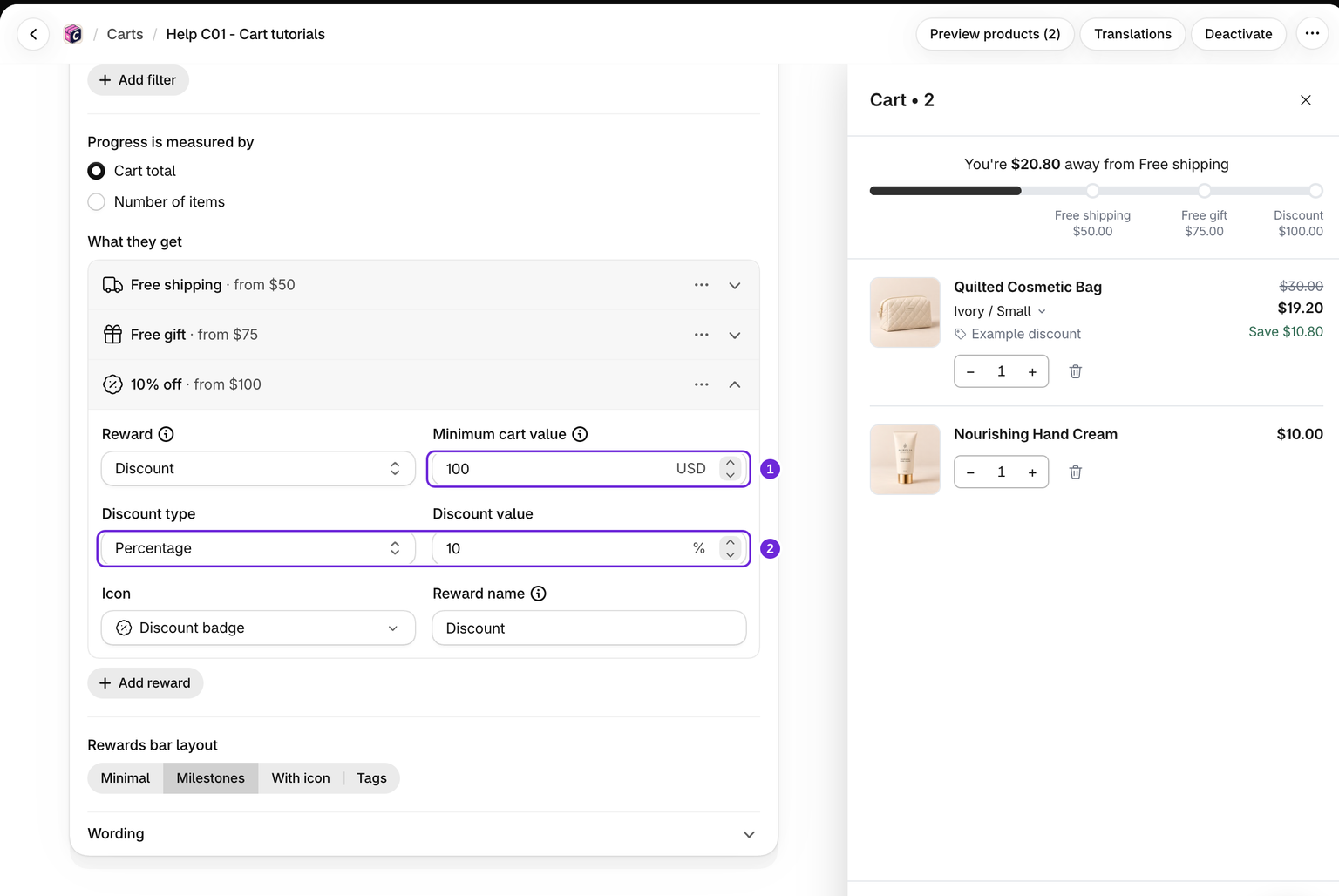
- Edit the cart and open Cart > Rewards bar.
- Click Add reward and choose Discount.
- Set the minimum cart value or number of items.
- Choose Percentage or Fixed amount under Discount type, then enter the Discount value.
- Set the customer-facing Reward name, save, and activate the design if needed.
A percentage value of 10 means 10% off. A fixed amount is entered in your store currency. The label does not set the saving; the discount type and value do.
What counts toward the threshold
For Cart total, the order-reward threshold uses eligible prices before discount codes and other apps' discounts, but after Bundlex Cart's own upsell discounts. The app's own reward gifts do not count. For Number of items, it counts eligible units. The qualifying amount can differ from the subtotal the shopper sees.
This decides whether the tier unlocks. Shopify then calculates the actual saving and combines it with eligible discounts. Always check that amount at checkout.
Multiple tiers replace one another
When several order-discount tiers qualify, the highest reached threshold supplies the order reward. They are not added together. With 5% off at 50 and 10% off at 100, a qualifying cart above 100 receives the 10% order reward, not 15%.
Shipping and gift rewards are separate reward types. Whether they combine with discounts from elsewhere depends on Shopify's rules and the discounts' combination settings.
Test the actual checkout
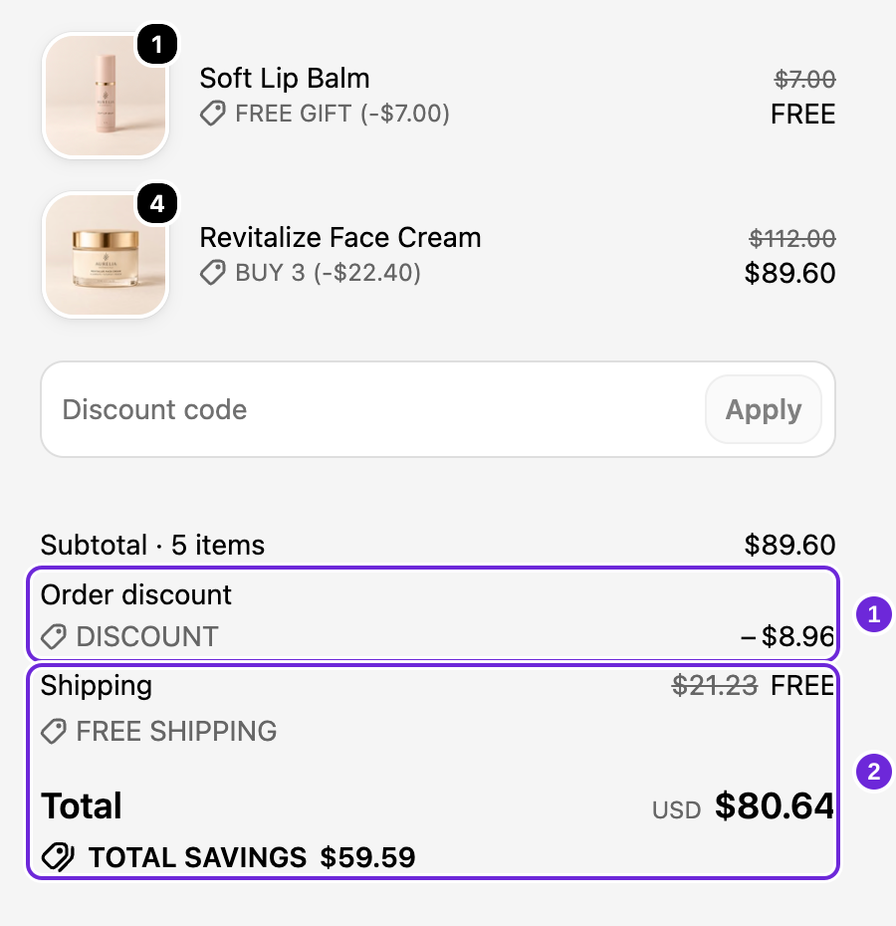
Use a cart just below the threshold, then increase it above the threshold and continue to checkout. Confirm the discount name and amount there. A discounted price in the editor preview is sample data.
Customer-tag rules on the bar also decide who gets the order discount at checkout, going by the customer Shopify recognises there. Read customer visibility rules before using tags with a reward.
Was this article helpful?
Your feedback helps us improve our docs.