Add an announcement above the cart items
The announcement bar in Bundlex Cart displays a short message near the top of the drawer. Use it for useful information such as a dispatch notice or a reminder about an existing offer.
Add your message
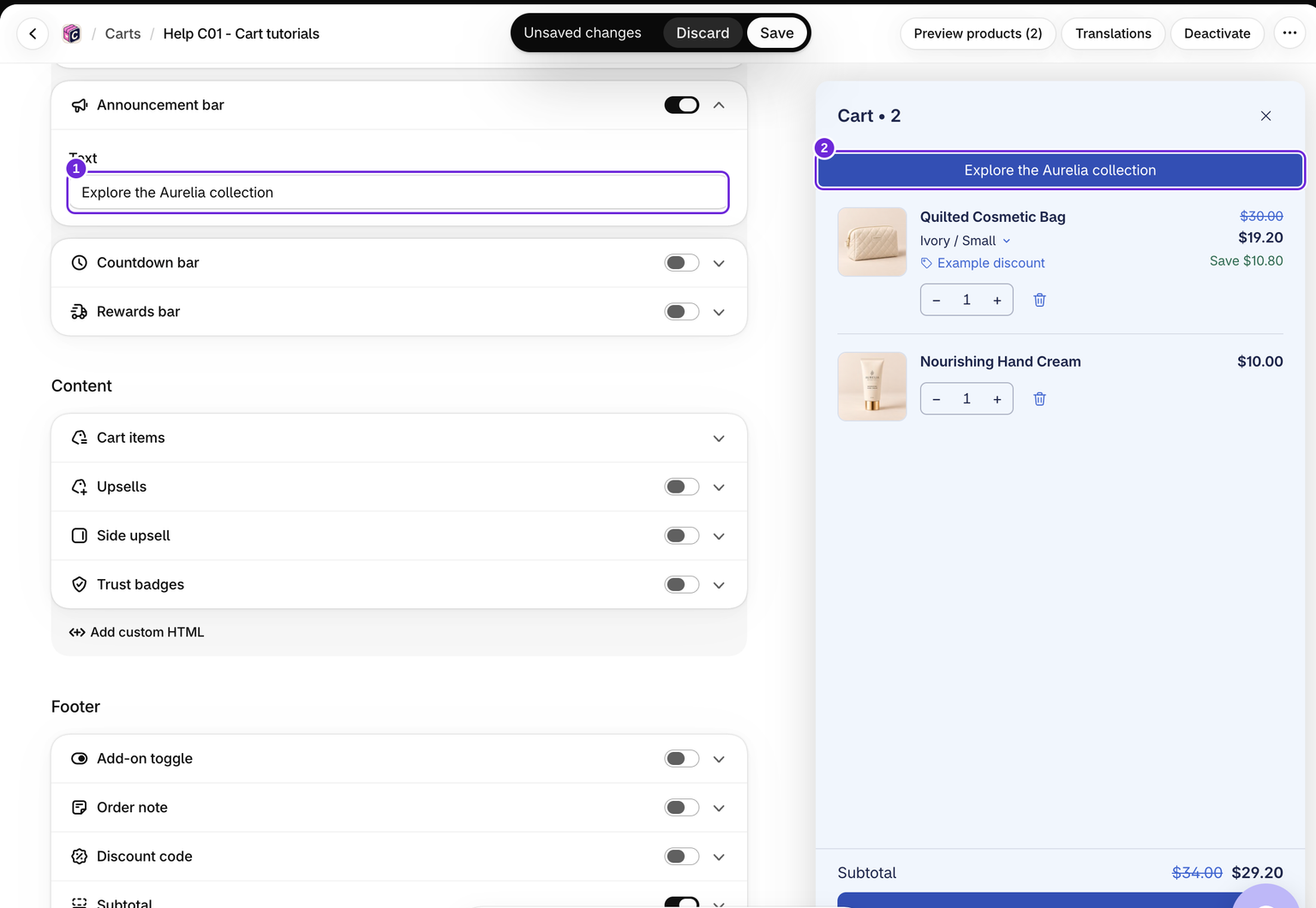
- Edit your cart and open the Cart tab.
- Turn on Announcement bar, then open the block.
- Replace the starter Text with your own message.
- Check the preview and click Save.
The message is plain text. HTML entered here is displayed as text, not formatted markup. For custom markup, use a Custom HTML block.
Check the storefront message
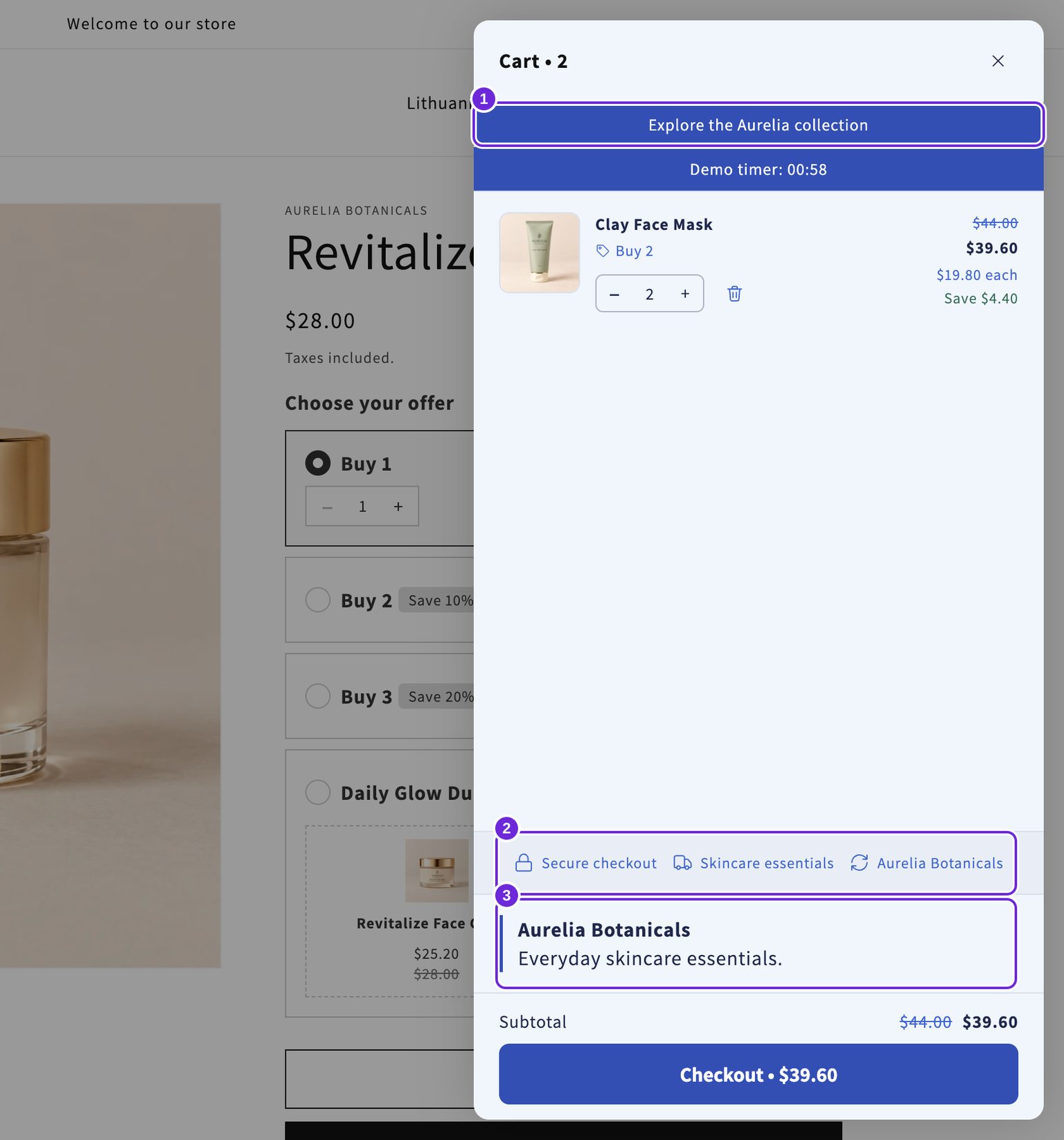
This example uses “Explore the Aurelia collection”. It appears above the products and remains the same as quantities change.
Keep the promise accurate
The announcement does not create a discount, change a shipping rate, or reserve inventory. Writing “Free shipping” does not make shipping free. For a shipping offer that unlocks at a threshold, configure a free-shipping reward.
The message stays the same as the cart changes. If you want a message that shows how much more a shopper needs to spend, use the Rewards bar instead.
Hide or translate the message
Turn the block off to hide it. An enabled announcement with blank text also renders nothing. For other storefront languages, save the cart and use its Translations page.
Was this article helpful?
Your feedback helps us improve our docs.