
Offer free shipping as a cart reward
A free-shipping reward in Bundlex Cart gives shoppers a clear target to reach before checkout. Unlike an announcement about shipping, a reward tier publishes an actual shipping discount.
Create the tier
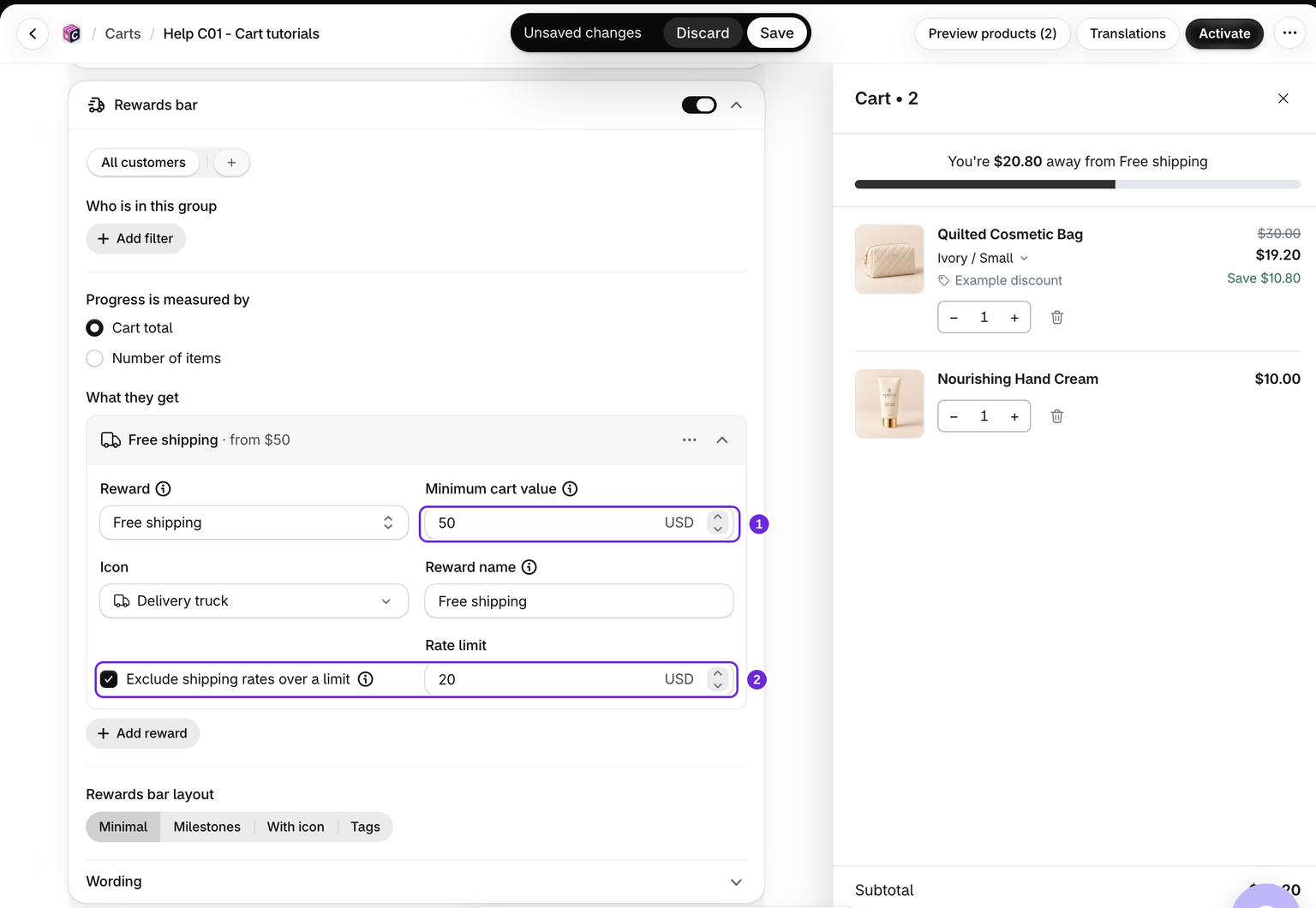
- Edit your cart and enable Cart > Rewards bar.
- Choose whether progress uses cart value or number of items.
- Click Add reward and choose Free shipping.
- Set the minimum value or item count and enter a Reward name shoppers will recognise at checkout.
- Save and activate the cart, or save the already active cart.
What counts toward free shipping
A free-shipping tier counts what the shopper actually pays, in the bar and at checkout:
- A product discounted by another app counts at its lower price.
- A paid extra counts. A free item counts nothing.
- A discount code or any other order discount comes off the total first. For example, with free shipping from 45, a cart of 45 with a 10% code is 40.50, so free shipping is not unlocked yet.
- The order discount from your own rewards bar is not taken off, so reaching a bigger reward never takes free shipping away.
Keep expensive shipping rates at full price
Enable Exclude shipping rates over a limit and enter a Rate limit. A rate above that limit stays at full price. The limit applies to the shipping rate, not to the cart's value.
For example, with a rate limit of 10 in your store currency, an eligible shipping rate costing 8 can become free, while a rate costing 15 stays at its normal price.
New shipping tiers start with a limit of 20 in USD, EUR, GBP, CAD, AUD, NZD, CHF and SGD. In other currencies, the limit starts off. Existing tiers keep their saved setting. Check the limit before testing: a $21.23 rate stays paid with a $20 limit even when the cart has reached its reward threshold.
Free shipping in some countries only
To offer free shipping in one market only, stay on the rewards bar's All customers tab (Everyone else once you have customer groups), click Add filter, choose Markets, pick is in and select the market. The tab's rewards move into a new group with that filter and Everyone else keeps none, so there is nothing to remove. At checkout, free shipping follows the delivery address, not the country the shopper browsed from.
Check the result at checkout
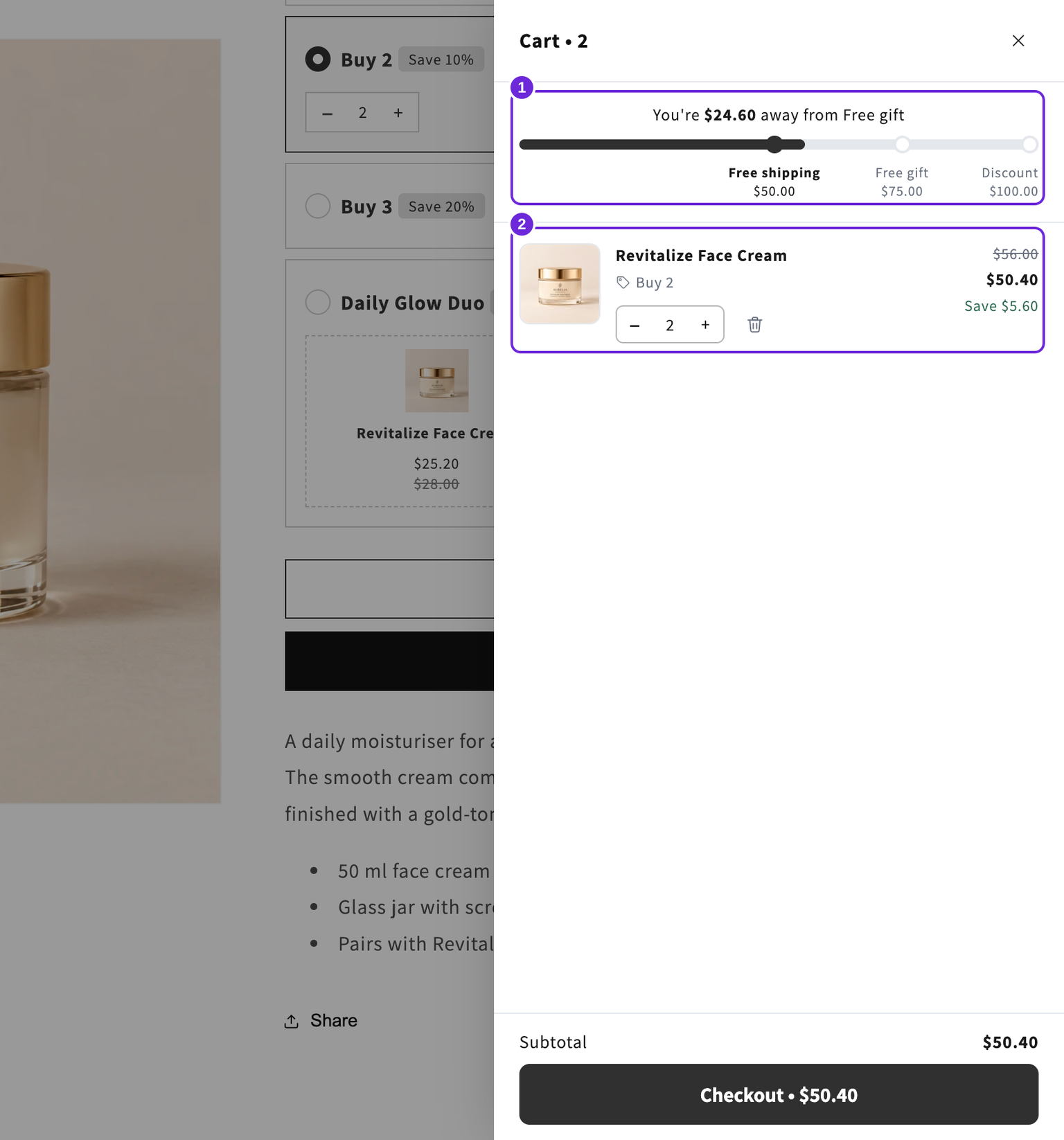
Add enough eligible products, continue to checkout, and enter an address for which your store offers shipping. Check the available rate and the discount. The bar does not create shipping zones or rates.
Other promotions can affect which shipping discount applies. See Shopify's discount-combination rules. If the bar says the reward is unlocked but checkout still charges shipping, use the rewards troubleshooting guide.
Was this article helpful?
Your feedback helps us improve our docs.