
Use Bundlex Cart alongside Bundlex Bundles
You can use Bundlex Cart on its own or alongside Bundlex Bundles. Each app has a different job.
Which app should I edit?
- Bundlex Bundles: product-page offers, quantity breaks, bundle prices, and gifts attached to those offers.
- Bundlex Cart: drawer appearance, cart upsells, checkout blocks, and cart reward tiers.
Changing a cart display setting does not change the underlying bundle offer. If the product-page offer is wrong, edit it in Bundlex Bundles. If the drawer's heading or layout is wrong, edit the active Bundlex Cart design.
Gifts and thresholds
Each app owns its own gift configuration. Bundlex Cart recognises Bundlex Bundles gift and extra lines. By default free ones are excluded from its reward progress, so they do not help unlock a Bundlex Cart gift tier. With progress measured by Number of items, the Count items from bundle offers and gifts checkbox makes them count as items. A paid extra counts at most the price the shopper pays for it.
Bundlex Cart does not replace the gift cleanup in Bundlex Bundles. If a Bundlex Bundles gift is left at full price after its qualifying offer is removed, report it with the bundle and cart details so our team can check the app that created it.
Test the combination
- Enable the appropriate storefront app embeds and activate the cart design.
- Add a bundle from the product page, then check its products, quantities, and total in the drawer.
- If you also use Bundlex Cart rewards, test below and above their thresholds.
- Continue to checkout and confirm the final discounts and gift prices.
Shopify decides which discounts can combine. Do not assume every bundle discount, code, and cart reward will stack.
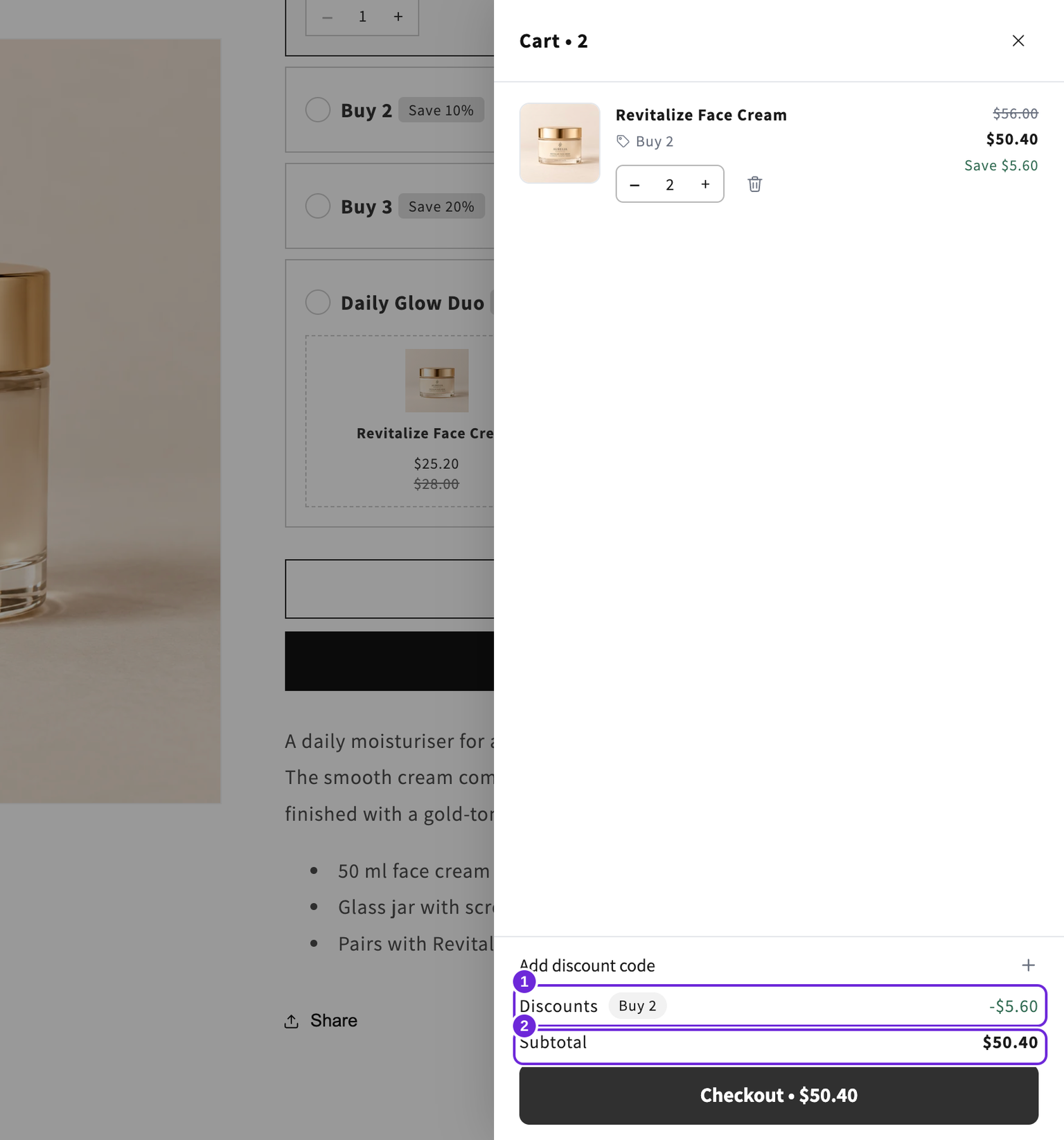
In the two-cream example, the Bundlex Bundles Buy 2 offer reduces $56 to $50.40. Bundlex Cart displays that automatic discount and has no remove button on its chip. A separate Bundlex Cart reward needs its own qualifying threshold and compatible discount settings.
If the drawer total differs after returning from checkout or changing quantities, reload the storefront and compare again. Send support the product, quantities and steps if the difference remains or returns.
Bundlex Cart does not add a subscription-plan editor or a “buy more to upgrade this bundle” control to cart lines. Use the Bundlex Bundles guides for product-page offer settings. If two drawers open, follow drawer troubleshooting.
Was this article helpful?
Your feedback helps us improve our docs.