
Recommend products based on what's in the cart
In Bundlex Cart, use Shopify recommendations to suggest products based on an item in the shopper's cart. For example, you can pair a pair of shoes with socks and show the socks in the drawer.
For rules you control inside Bundlex Cart, such as "suggest socks when shoes are in the cart" or "show this product above $50", use Targeted offers in the main Upsells block.
Choose related or complementary products
- Related products: use Shopify's recommendations, which you can customize in Search & Discovery.
- Complementary products: choose products that go together in Search & Discovery.
Set up your product pairings
- Open Shopify Search & Discovery from Apps in Shopify admin. Install it first if your store does not have it.
- Open Product recommendations, click Add recommendations, and select the main product, such as your shoes. Open its existing recommendations if you have already configured it.
- Add the socks under Complementary products, then save.
For more options, see Shopify's recommendations guide.
Enable recommendations in Bundlex Cart
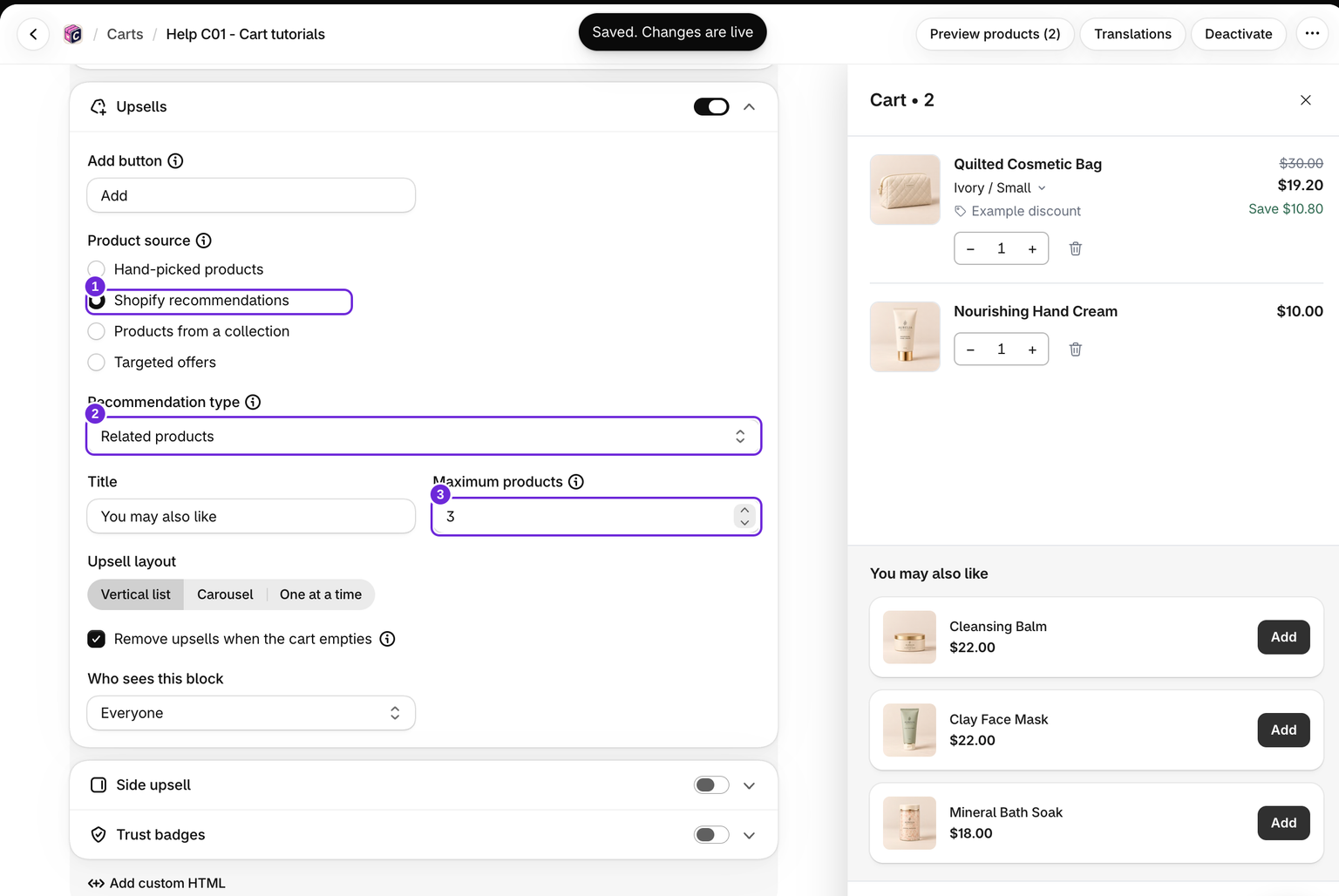
- Edit your cart and open Cart > Upsells.
- Turn on the block and set Product source to Shopify recommendations.
- Set Recommendation type to Complementary products for your pairings, or Related products for related suggestions.
- Choose the layout and maximum products, then save. Activate the design if it is not already active.
The same source settings are available under Cart > Side upsell for the desktop side panel.
Test on your storefront
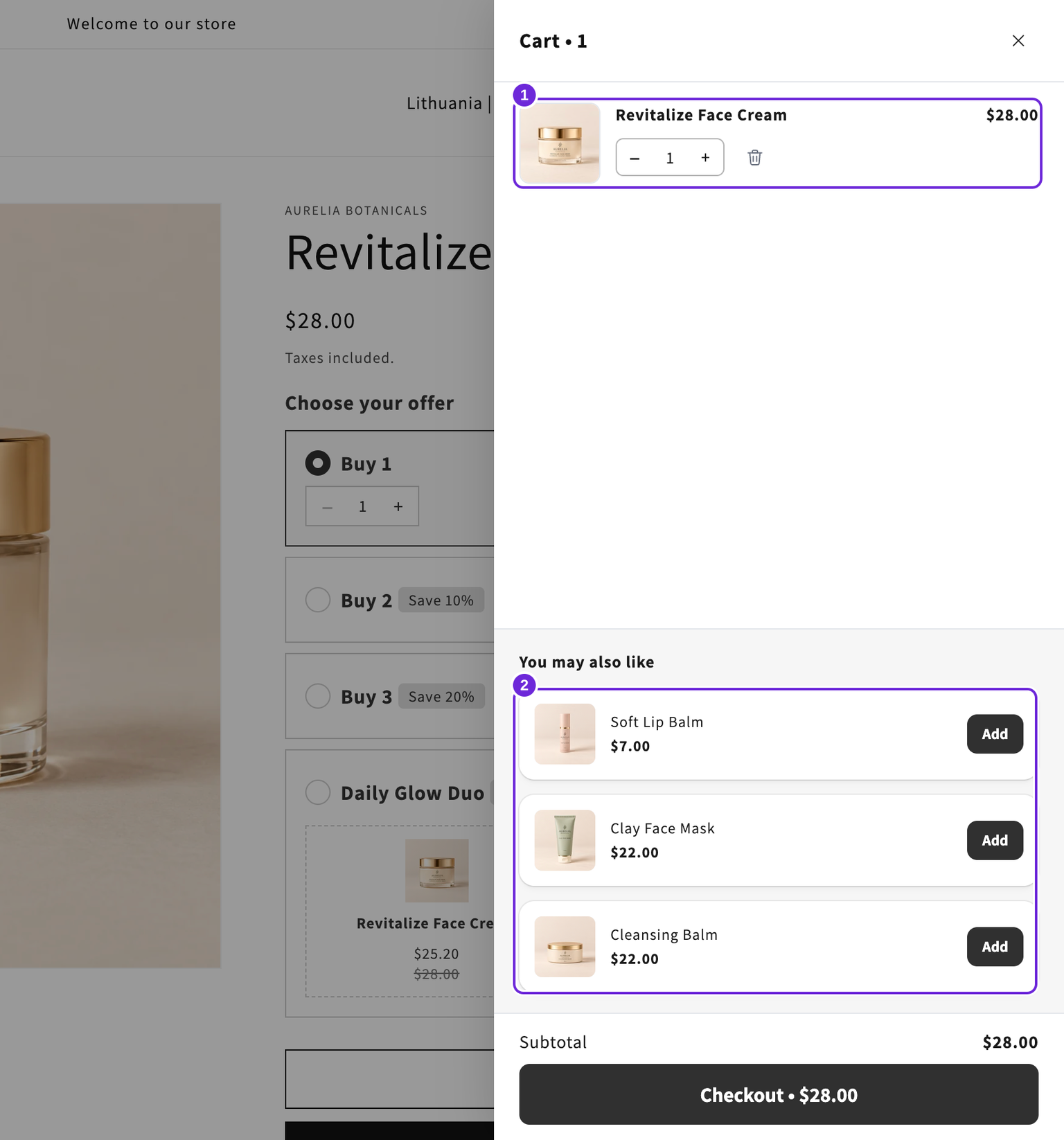
Start with an empty cart and add the shoes. Open the drawer and check for the socks. Then add the socks: that product should disappear from the suggestions because it is already in the cart.
When several products are in the cart, Bundlex Cart uses the first eligible paid product in Shopify's cart order as the recommendation source, skipping its reward gifts and add-ons. It does not combine recommendations for every cart item. Test different main products separately.
If every line is excluded from that preferred choice, the first cart line is used as a fallback. Changing which eligible product comes first can change the recommendations.
Why the suggestions can differ
If Shopify returns no complementary products, Bundlex Cart tries related recommendations. It requests up to six candidates, then filters out products already in the cart, the managed add-on, and products with no available variants. The final list can therefore be shorter or empty.
Check stock, storefront availability, and the shopper's market. The editor preview is not proof of which recommendations Shopify will return on your storefront. For further checks, see upsells not showing.
Was this article helpful?
Your feedback helps us improve our docs.